 Alex MacQuoid
 Below you will find a simple manual on how to log in to your TurboWins betting site account, what to do if something goes wrong, and how to register safely if you are new. We think this is especially useful for players from Canada, India, and most of Europe, where TurboWins is actively targeting users with its crypto-friendly platform.
The TipsGG editorial team opened a real-money account at TurboWins, claimed the 200% bonus up to €5,000, placed sports and casino bets, tested withdrawals, and contacted support. This guide is built on that hands-on experience, not just marketing claims.
Use the official TipsGG link to avoid copycat sites and go straight to the real platform with the full 200% Bonus up to €5,000 welcome offer: TurboWins official login & signup.
How to Login to Your TurboWins Account
Logging into TurboWins is straightforward. During our TurboWins 2026 testing, the login worked reliably on both desktop and mobile browsers.
- Open the official site via our secure link: TurboWins login.
- Click the “Login” button in the top-right corner of the homepage.
- Enter your registered email (or username if you set one) in the first field.
- Type your password exactly as you created it, respecting upper/lowercase characters.
- Tick “Remember me” only on your private device, never on shared computers.
- Click the “Sign In” button.
- If prompted, complete any extra security step (email code, SMS code, or 2FA via authenticator app, depending on your settings).
- Once logged in, you can access casino, sportsbook, esports, bonuses, and cashier.
Login TurboWins via Official Website
Our team mostly used desktop for the TurboWins 2026, especially for live betting and multi-tab casino play.
Desktop login steps:
- Use a modern browser like Chrome, Firefox, Edge, or Safari.
- Go to TurboWins betting site (desktop).
- Check the address bar shows HTTPS and the correct domain, no weird extra words or numbers.
- Click “Login” on the top menu.
- Enter your email and password.
- Press “Sign In”.
During testing, desktop login was instant, and sessions stayed stable during long sportsbook and casino sessions. No forced logouts during live bets, which is good news for in-play punters.
Login TurboWins via Mobile App
TurboWins does not offer a traditional native iOS or Android app. Instead, it runs as a Progressive Web App (PWA). In practice, this feels very similar to an app, but you access it through your browser.
To log in on mobile:
- Open your mobile browser (Chrome, Safari, etc.).
- Tap our official link: TurboWins mobile login.
- Tap the “Login” button at the top.
- Enter your email and password.
- Tap “Sign In”.
If you want an “app-like” icon:
- On Android Chrome: tap the three dots menu > “Add to Home screen”.
- On iOS Safari: tap the share icon > “Add to Home Screen”.
- Use that icon later for one-tap access to your TurboWins betting site account.
In our mobile app review style testing, the PWA loaded fast, live odds updated smoothly, and casino games ran well even on mid-range Android devices.
Fingerprint or Face ID Login
TurboWins itself does not have native biometric login like a banking app. There is no built-in Face ID or fingerprint toggle inside the site. That said, you can still use biometrics indirectly:
- Use your device’s password manager (iCloud Keychain, Google Password Manager, 1Password, etc.).
- Save your TurboWins login there once.
- Next time you tap the email or password field, let the password manager auto-fill using Face ID or fingerprint.
So the biometric security sits on your phone side, not the casino side. We used Face ID auto-fill on iPhone during the TurboWins 2026 test period and it worked flawlessly.
Common Login Problems & Solutions
Most login issues at TurboWins are simple: typos, cache problems, or temporary maintenance. A few are more serious like account verification or region blocks. We gathered the most common ones and what worked for us or other players.
| Problem 😕 | Likely Cause 🔍 | Quick Solution ✅ |
|---|---|---|
| Wrong email or password message | Typo, Caps Lock, old password stored in browser | Retype details, disable Caps Lock, use “Forgot password?”, clear saved credentials |
| Login button does nothing | Browser cache glitch, outdated browser, blocked scripts | Refresh page, clear cache, try incognito mode or another browser/device |
| Account blocked/suspended | KYC pending, responsible gambling limits, ToS violation suspicion | Check email from TurboWins, contact live chat, provide requested documents |
| Site won’t load at all | Local internet or DNS issue, ISP block, maintenance | Test on mobile data, another Wi-Fi, or VPN (if legal), wait 15–30 minutes and retry |
| “Region not allowed” message | Trying to log in from a restricted country (e.g. UK) | Do not force access, contact support, withdraw remaining funds if possible |
| 2FA code not working | Time sync issue on authenticator app, wrong code, delay | Resync device time, generate new code, if locked out ask support to reset 2FA |
| App icon opens but auto-logs you out | PWA cache conflict or expired session | Log out fully, clear browser cache, remove & re-add PWA to home screen |
Forgotten Username or Password
If you forgot your login details, do not create a second account. TurboWins strictly forbids multiple accounts, and that can lead to closure and loss of funds.
To reset your password:
- Go to the login page via TurboWins official login.
- Click “Forgot password?” under the login form.
- Enter your registered email address.
- Check your inbox (and spam folder) for the reset link.
- Click the link and set a new strong password.
- Return to the site and log in with the new credentials.
If you forgot which email you used, contact support with your full name, approximate registration date, and any transaction proof. During our TurboWins betting site tests, email recovery was handled within a few hours.
Account Blocked or Suspended
This is more serious. Accounts can be blocked for several reasons: failed KYC checks, suspected bonus abuse or multi-accounting, chargeback attempts, logging in from restricted countries, or breaches of terms. Sometimes it is simply an automatic risk flag that needs a manual review.
If you see a block message, first check your email. TurboWins usually sends a notice explaining the reason or asking for documents. Provide what they request: ID, proof of address, payment method screenshots, or a selfie with your ID. Stay calm and polite in chat, even if you are upset; it genuinely speeds things up.
The TipsGG team did not encounter a block during our own testing, but we did see public complaints online where accounts were suspended during withdrawals. We strongly suggest you keep all communication in writing (email or chat transcripts) in case you ever need to escalate. Also know your rights as a player by reading this guide: Your Rights as a Player.
Login Details Not Recognized
If the system keeps saying your details are incorrect, even though you are sure they are right, try this sequence:
First, type your email and password manually, no auto-fill. Check for extra spaces at the end of the email field. Turn off Caps Lock and double-check any special characters in your password. If that fails, trigger a password reset and create a new password. Use the reset link within a short time, since those links can expire quickly.
If a fresh password still does not work, there might be a deeper issue such as a typo in your original registration email or a soft block on the account. Contact support through live chat and describe exactly what you see on screen. During our TurboWins 2026 test, agents could see failed login attempts and confirm whether the account was active or not.
Website/App Maintenance
No sportsbook or casino is online 100% of the time. TurboWins runs regular maintenance windows for server updates, new games, or payment upgrades. During those, you might see error pages, very slow loading, or temporary inability to log in.
What to do: wait 15–30 minutes, then try again. Check the brand’s Telegram or X (Twitter) channel if you use social media, they sometimes mention planned work. Avoid placing last-second live bets if the platform seems unstable. If you are in the middle of a session and get kicked out, wait for the site to return, then check your bet history and balance. Our own tests never lost settled bets during maintenance, but it is smart to screenshot big bets for your own peace of mind.
Login from Restricted Region
TurboWins has geo-restrictions. For example, players from the UK and some other regulated markets cannot legally use the site. If you travel abroad, you might suddenly see a “region not supported” or similar message.
If you are just temporarily abroad in a country where TurboWins is allowed, you can usually log in as normal. If you are in a restricted country, the correct action is not to force access with VPNs. That can break the terms, endanger your funds, and complicate withdrawals. Instead, contact support, explain your situation, and ask whether you can withdraw any remaining balance. This might be frustrating, but it is safer for your bankroll long term.
If you are unsure where you stand, review their terms and also read the TipsGG piece on player rights before making any big deposits while traveling.
How to Register at TurboWins
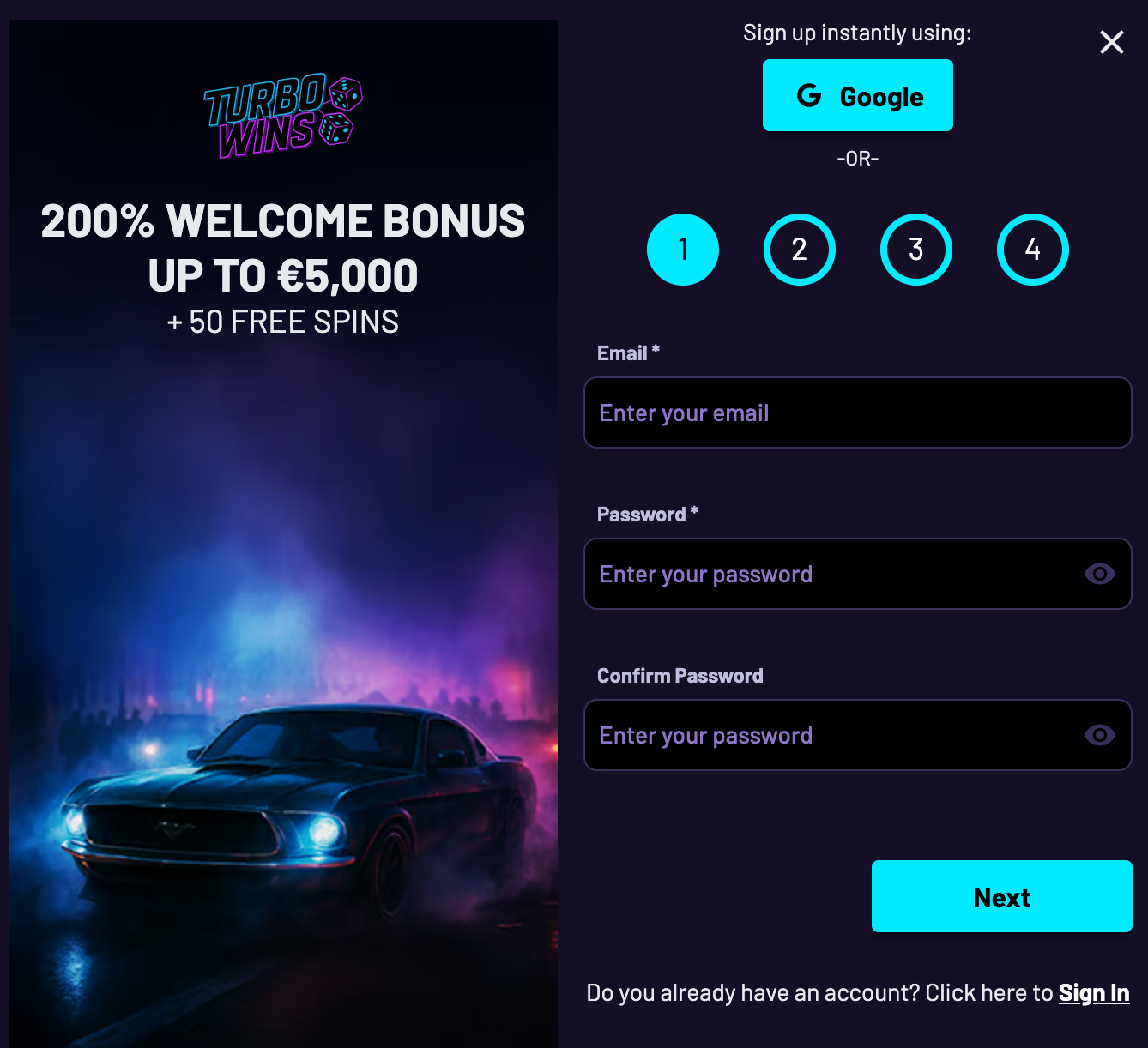
If you do not have an account yet, registration is quick. During our TurboWins betting site tests, sign-up took under 2 minutes and the welcome bonus appeared instantly after the first deposit.
- Use the official TipsGG link: Go to TurboWins signup.
- Click the “Sign Up” or “Register” button.
- Choose your country and preferred currency (EUR, CAD, crypto, etc.).
- Enter your email, create a strong password, and fill in your personal details honestly (name, date of birth, address).
- Check the box confirming you are over 18 and agree to the terms.
- Confirm you want to claim the 200% Bonus up to €5,000 welcome offer if it is not auto-selected.
- Submit the form and verify your email if requested.
- Log in to your new account.
- Go to the cashier, choose a payment method, and make your first deposit of at least €20 to activate the welcome bonus.
We recommend reading the bonus terms carefully before you start. For a deeper look at how we judge offers like this, see our How We Rate page.
TurboWins
Verification & Login Security
TurboWins runs under Anjouan and Curacao licenses, so KYC (Know Your Customer) checks are required before full withdrawals. During our testing, verification was requested right before the first withdrawal and completed in under one hour.
Standard verification steps:
- Proof of identity: passport, driver’s license, or national ID.
- Proof of address: utility bill, bank statement, or similar, not older than 90 days.
- Sometimes a selfie with your ID or a short video verification.
Account security tips we strongly suggest:
- Use a unique password for TurboWins, not reused from email or social media.
- Enable any extra security (2FA) if offered in your account settings.
- Never share your login with friends or family. Multi-person access can be treated as a violation.
- Log out after each session on shared or work devices.
| Security Feature 🔐 | Available at TurboWins? | Our Testing Notes 🧪 |
|---|---|---|
| SSL Encryption | Yes | HTTPS active on all pages, data encrypted during login and payments. |
| KYC Verification | Yes | Requested before first withdrawal, approved in < 1 hour in our case. |
| Two-Factor Authentication (2FA) | Partially | Extra steps possible via email/SMS; no full-blown app-based 2FA menu yet. |
| Biometric Login | No native support | Works indirectly through device password managers with Face ID / fingerprint. |
| Login Alerts | Occasional | We received email notices for key account actions, but not every login. |
If you care a lot about security (you should), combine strong passwords with a password manager and keep your email account equally secure. Losing access to your email is one of the fastest ways to lose control of any betting account.
- Also read: TurboWins Bonus Code & Promotions
Customer Support for Login Issues
If you get stuck, TurboWins support is available 24/7 through live chat and email. During our TurboWins 2026, live chat response time was usually under 2 minutes, although the quality of answers varied a bit between agents. Email was slower but more detailed.
Before contacting support, have this ready: your registered email, approximate registration date, last four digits of your card or crypto wallet tag (if used), and a screenshot of the error message. That speeds things up a lot.
| Support Channel ☎️ | How to Use It | Typical Response in Our Tests |
|---|---|---|
| Live Chat | Click the chat icon at the bottom of the site while logged out or logged in. | 1–3 minutes for first reply, faster for simple login questions. |
| Email Support | Use the contact form on site or send from your registered email address. | 2–12 hours depending on complexity and time of day. |
| Social Media | Optional: reach out on X or Telegram for general info, not sensitive data. | Varies a lot; we treat it as secondary, not primary, support. |
Remember, never send full card numbers or passwords in chat or email. Support will not ask for your password. If they do, stop and re-check you are talking to the real TurboWins betting site, not a fake.
Tips for Easy TurboWins Login
Logging into TurboWins is usually painless. The problems start when people rush, use weak passwords, or create multiple accounts. We think a bit of discipline at the start saves a lot of stress later, especially with big balances or active bonuses.
If you want to compare TurboWins to other options, especially for sports, you can check our curated list of best football betting websites and our general how to bet on sports guide. They help you understand odds and payouts, and how the TurboWins betting site stacks up.
- Always use the official TipsGG link to avoid clones: TurboWins official login.
- Keep one account only, with real data that matches your documents.
- Use a strong, unique password and store it in a trusted password manager.
- Turn on any extra security (codes via email/SMS) and keep your email safe.
- Do not share your account or use public computers for long sessions.
- If something feels off with login or withdrawals, contact support early.
- Set personal limits and read Gamble Responsibly guidelines to keep control.
We like the speed and simplicity of the TurboWins betting site, but we also want readers to stay safe, both technically and financially. Use the tools you have, and do not ignore red flags.
- Also read: TurboWins Review & Expert Rating
FAQ
Can I Log in Without Registration?
No. You must create a TurboWins account before you can log in, place bets, or claim the 200% bonus up to €5,000. Guest or demo play for some slots may be possible without login, but real-money betting always requires registration and age verification.
Can I Create Multiple Accounts?
No, and you really should not try. TurboWins terms clearly ban multi-accounting. If the system detects more than one account per person, they can merge, block, or close them, and in some cases confiscate bonuses or winnings. If you lose access to your original account, recover it through support instead of opening a new one.
How to Reset My Account Password?
Use the “Forgot password?” link on the login page. Enter your registered email, open the reset email, and follow the link to set a new password. If you do not receive the email within a few minutes, check spam and then contact support. Do not share the reset link with anyone.
What If My Account Was Stolen or Hacked?
Act fast. First, try to reset your password immediately using the email reset function. Then contact live chat and email support, explain that you suspect unauthorized access, and ask them to lock the account until the situation is clarified. Provide proof of identity if they ask. Once access is restored, change your email password too and review your login history and transactions. For extra peace of mind, review our sports betting glossary to understand any strange entries you might see in your bet history.
Why Can’t I Access the TurboWins Website/App?
There are a few possible reasons: your internet connection is unstable, the site is under maintenance, your ISP or country is blocking access, or your account/region has been restricted. Try a different device and connection first. If the whole site is unreachable, wait a bit and retry. If only your login fails while the homepage loads fine, contact support to see if your account is limited or your region is no longer accepted.
Is TurboWins Login Safe and Secure?
Login itself is protected by 256-bit SSL encryption, which is standard for online payments. During our TurboWins 2026, we did not see any technical red flags around the login process. Still, TurboWins is licensed offshore (Anjouan and Curacao), not by stricter bodies like the UKGC, so player protections are different from onshore brands. From a pure login-security angle, using strong passwords, password managers, and secure devices makes the experience reasonably safe. From a broader player-rights angle, read both the casino’s terms and the TipsGG pages on editorial policy and player rights before you commit large sums.
If you ever feel your gambling is getting out of control, pause, set limits, or self-exclude. The best bonus or login convenience is meaningless if you are not in control. Use the TipsGG Gamble Responsibly guide as a reference whenever needed.