 Arjun Menon
 Our TipsGG editorial team spent several weeks with the Leon mobile app, and we're ready to share everything we found. We opened a real account, deposited funds, placed live bets on football and esports, tested withdrawals, and even timed customer support responses. The Leon app positions itself as a clean, no-nonsense sportsbook focused on speed and simplicity. It won't drown you in flashy animations or confusing menus. What you get instead is a functional betting tool that does what it promises without much fuss.
- Cryptocurrencies accepted
- Android app
- Live chat
For context on how we evaluate platforms, check out our How We Rate methodology and our Editorial Policy.
| Feature | Details |
|---|---|
| 📱 Platform | Android & iOS |
| 🎁 Welcome Offer | Deposit €10 and get your $15 free bet |
| ⚽ Sports Coverage | Football, basketball, tennis, esports, 30+ sports |
| 📺 Live Streaming | Available on select events |
| 💳 Min. Deposit | €10 |
| 🔒 Security | SSL encryption, licensed operator |
| 💬 Support | Live chat, email |
| ⭐ TipsGG Rating | 3.8 / 5 |
How to Download & Install the Leon App
Getting the Leon app onto your device is straightforward, though the exact steps differ depending on whether you're on Android or iOS. We tested both routes.
Downloading the Leon App on Android
Android users have two paths: the Google Play Store or a direct APK download from the Leon website. Both work. The APK route takes an extra minute but gives you the same app.
App Installation via Google Play Store
- Open the Google Play Store on your Android device
- Search for "Leon" or "Leon Bet"
- Tap "Install" and wait for the download to complete
- Open the app, register or log in, and you're set
Availability on Google Play may vary by region. If you can't find it there, the APK method is your backup.
How to Install via APK file
- Visit the official Leon website using your mobile browser
- Look for the Android download link, usually found in the footer or a dedicated mobile page
- Download the APK file
- Before installing, go to Settings > Security and enable "Install from unknown sources" (or allow your browser to install apps on newer Android versions)
- Open the downloaded APK file and tap "Install"
- Launch the app once installation finishes
The APK file is safe when downloaded directly from Leon's official site. We did this ourselves and encountered zero issues.
Downloading the Leon App on iOS
- Open the Apple App Store on your iPhone or iPad
- Search for "Leon" in the search bar
- Tap "Get" to download and install
- Once installed, open the app and either create a new account or sign in
The iOS version installed quickly during our test. No regional restrictions affected our download, but your mileage may differ depending on your country's App Store.

Leon
System Requirements & Compatibility
The Leon app isn't demanding on hardware. Most phones released in the last five years should handle it comfortably.
Android System Requirements
- Android 6.0 (Marshmallow) or higher
- Minimum 1 GB RAM (2 GB recommended)
- At least 100 MB of free storage
- Stable internet connection (Wi-Fi or 4G/5G)
iOS System Requirements
- iOS 12.0 or later
- Compatible with iPhone, iPad, and iPod Touch
- Approximately 100 MB of storage space
- Stable internet connection
We tested on a Samsung Galaxy S22 and an iPhone 13. Both ran the app without lag or crashes.
- Cryptocurrencies accepted
- Android app
- Live chat
How to Claim the Leon Sign Up Bonus on the App
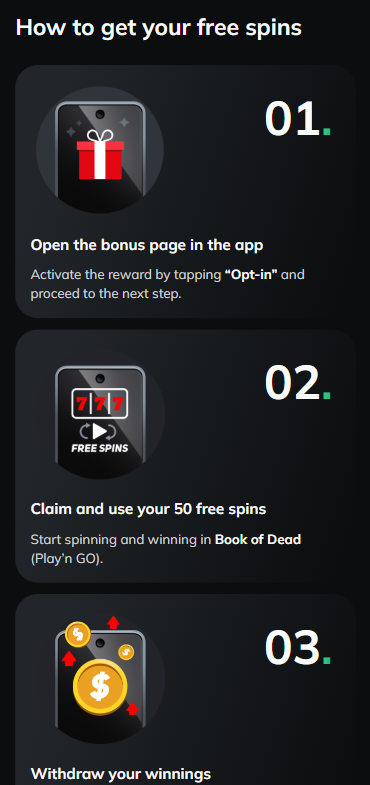
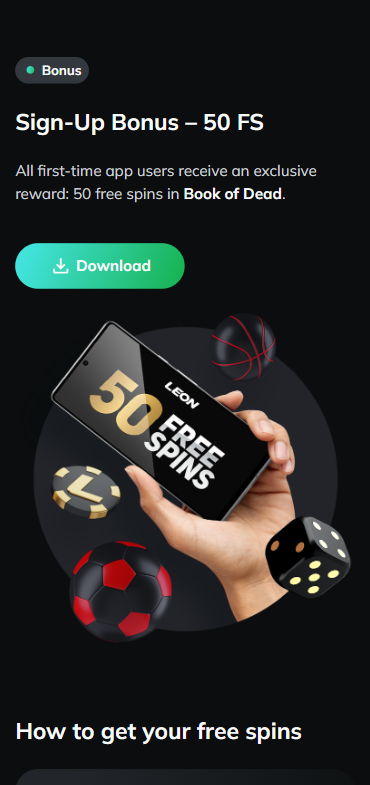
New users who register through our link get a welcome offer worth paying attention to. Deposit €10 and get your $15 free bet! That's it. No complicated wagering tiers or multi-step processes.
- Tap the link below to visit Leon through our official registration page
- Create your account by filling in your details
- Make a minimum deposit of €10
- Your $15 free bet will be credited to your account
Register with Leon via TipsGG and claim your $15 free bet →
We went through this process ourselves. The free bet appeared within minutes of our deposit clearing. No support ticket needed, no waiting around. Simple. If you're new to sports betting in general, our How to Bet On Sports guide can help you get started.
Leon
Detailed Analysis of Leon App Features
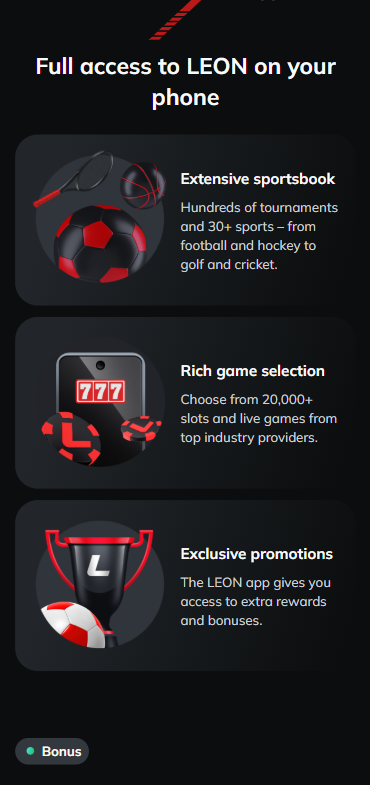
The Leon app covers more than 30 sports. Football dominates the menu, which makes sense given the platform's audience, but you'll also find basketball, tennis, ice hockey, MMA, and a solid esports section covering CS2, Dota 2, and League of Legends. If you're specifically looking for football betting options, we've compiled a list of best football betting websites worth checking out.
The bet slip works well. Adding selections is quick, switching between singles and accumulators is intuitive, and stake entry doesn't feel clunky on smaller screens. We placed a live accumulator on three simultaneous football matches and the odds updated in near real-time with no freezing. One thing we noticed: market depth on lower-league football can be thin. Premier League and Champions League? Plenty of options. Third-division Scandinavian football? Not so much.
Esports coverage impressed us more than expected. Live odds on major CS2 tournaments updated fast, and map-specific betting was available for bigger events. Not every sportsbook gets esports right. Leon does a decent job here.
Account management features are all present: deposit and withdrawal history, active bets, settled bets, bonus status. Nothing revolutionary but nothing missing either.
Leon
App Performance & Stability
We ran the Leon app across multiple sessions over three weeks. It crashed once. Once. On an older test device running Android 9. On our primary phones it was rock-solid. Pages loaded in under two seconds on a 4G connection, and switching between pre-match and live sections felt snappy.
Battery drain was moderate. A 45-minute live betting session consumed roughly 6-8% battery on our iPhone 13, which sits in the normal range for apps maintaining a constant data connection. Background notifications worked reliably for bet results and promotions, though we'd recommend turning off promotional push notifications unless you want your lock screen cluttered.
One gripe: the app occasionally took a beat longer to load the full live betting interface during peak hours, like Saturday afternoon when half of Europe's football leagues are running simultaneously. Not a dealbreaker, but noticeable.
- Cryptocurrencies accepted
- Android app
- Live chat
User Interface & Design Layout
Clean. That's the word that keeps coming back. The Leon app uses a dark color scheme with green and white accents. Text is readable, icons are self-explanatory, and the navigation bar at the bottom gives you one-tap access to Sports, Live, My Bets, and your account.
Finding a specific match takes two taps at most: sport > league > match. The search function works but could be faster. Typing "Barcelona" brought results after a slight delay, whereas competitor apps we've tested return results almost instantly.
We appreciated the absence of visual clutter. Some betting apps assault you with banners, pop-ups, and promotional overlays the moment you open them. Leon keeps things calm. There's a promotions section if you want it, but it doesn't chase you around the app. We think this design philosophy suits serious bettors who know what they want and just need the tools to get there quickly.
The odds display is clear, with decimal format as default and options to switch. Bet history is easy to parse. Honestly, the UI won't win design awards, but it won't frustrate you either. That's a win in our book.
- Also read: Leon Review & Expert Rating
Live Streaming & In-Play Betting
Live streaming is available on the Leon app for select sporting events. During our testing, we accessed streams for lower-tier football matches and some tennis events. The stream quality was acceptable, not HD cinema quality, but watchable on a phone screen. There was a delay of roughly 5-7 seconds compared to real-time, which is standard across most sportsbooks offering live video.
In-play betting is where the app shows its strengths. Odds refresh quickly, the interface doesn't stutter during fast-moving events, and placing a bet mid-match felt responsive. We tested a live bet on a CS2 match during a round change and the bet was accepted within two seconds. Good enough.
The live section organizes events by sport with a running count of available markets beside each event. Tapping into a live match gives you a visual representation of the game state (match tracker) even when a video stream isn't available. The match tracker for football shows ball position, possession stats, and key events. Functional, if basic.
Not every event has a stream. The bigger the event, the more likely you'll get video. This is industry-standard, not a Leon-specific limitation. For a deeper understanding of live betting terminology, check our Sports Betting Glossary.
Security & Privacy Features
The Leon app uses SSL encryption to protect data in transit. Account access supports standard login credentials, and we were prompted for identity verification (KYC) before our first withdrawal, which is a good sign. It means the operator takes regulatory compliance seriously.
Two-factor authentication wasn't available during our testing period, which is a gap. Many competitors now offer 2FA as a standard security layer. We'd like to see Leon add this.
Privacy-wise, the app requests standard permissions: internet access, notifications, and storage (for APK installations on Android). No unusual permission requests raised red flags. The operator holds a valid gambling license, and responsible gambling tools are accessible within the app, including deposit limits and self-exclusion options. For more on your protections, see Your Rights As A Player and our Responsible Gaming page.
- Also read: Leon Bonus Code & Promotions
Customer Support & Live Chat
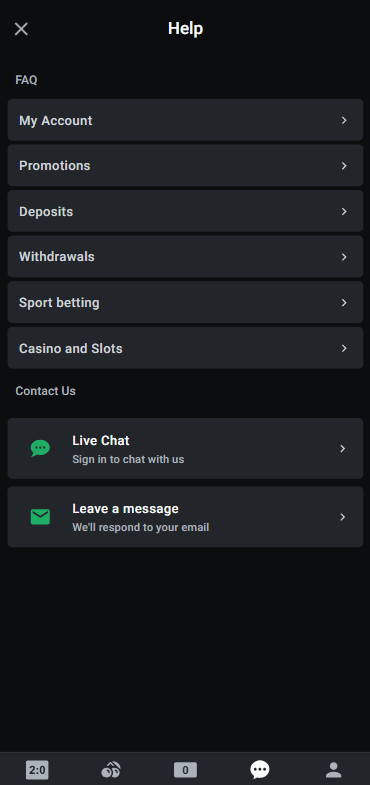
We contacted Leon's customer support three times during our review period. Twice via live chat, once via email.
Live chat response time averaged about 90 seconds during daytime hours. The agents were polite, answered our questions about withdrawal processing times accurately, and didn't try to upsell us on promotions. That last part matters more than people realize. One evening session took closer to four minutes to get a response, which suggests staffing thins out during off-peak hours.
Email support took approximately 14 hours for a reply. The response was thorough and addressed our query about bonus terms in detail. Not blazing fast, but adequate.
There's no phone support. For some users that's a dealbreaker. For most mobile-first bettors, live chat covers what they need.
Leon
Cash-Out & Betting Tools
Cash-out is available on the Leon app for selected pre-match and live bets. During our testing, we successfully cashed out a live football bet at a partial profit when the match wasn't going our way. The cash-out value updated dynamically, and the payout processed to our account balance instantly.
Not every bet qualifies for cash-out. Accumulators with certain market types may not offer the option, and cash-out can be suspended during volatile moments in a live event. This is standard practice across the industry, but it's worth knowing before you rely on it as a strategy.
Other betting tools include a bet calculator (basic but functional) and quick-bet options that let you place wagers without navigating away from the event list. We didn't find advanced features like bet builders or custom market creation, which some competitors now offer. If you're someone who builds complex same-game multis, this might feel limiting.
- Cryptocurrencies accepted
- Android app
- Live chat
User Experience: Pros & Cons of Leon App
| ✅ Pros | ❌ Cons |
|---|---|
| Clean, fast interface with minimal clutter | No two-factor authentication |
| Good live betting performance and quick odds updates | Limited market depth on lower-tier leagues |
| Solid esports coverage for CS2, Dota 2, LoL | No bet builder / custom market feature |
| Easy registration and fast bonus activation | Live chat slower during off-peak hours |
| Available on both Android and iOS | Search function slightly sluggish |
| Reasonable cash-out functionality | Live streaming limited to select events |
| Low minimum deposit (€10) | No phone support |
Pros
- 🟢 Fast, lightweight app that doesn't hog battery or storage
- 🟢 $15 free bet welcome offer is simple to claim with a €10 deposit
- 🟢 Esports section is genuinely competitive with dedicated markets
- 🟢 Live betting interface handles high-traffic periods well
- 🟢 Dark UI theme is easy on the eyes during long sessions
- 🟢 KYC verification process was smooth and relatively quick
Cons
- 🔴 Missing two-factor authentication is a real security gap
- 🔴 Bet builder or same-game multi functionality is absent
- 🔴 Customer support availability dips in the evening
- 🔴 Streaming quality is passable but won't impress
- 🔴 Niche sports and lower leagues have fewer markets than top-tier competitors
Leon
Leon App Not Working
If the Leon app isn't loading, crashing on startup, or refusing to place bets, try these fixes before contacting support:
- Check your internet connection. Sounds obvious. It fixes the problem about 40% of the time.
- Force close and reopen the app. Swipe it away from your recent apps, then relaunch.
- Clear the app cache. On Android: Settings > Apps > Leon > Storage > Clear Cache. On iOS, you may need to delete and reinstall.
- Update the app. An outdated version can cause compatibility issues, especially after server-side updates from Leon.
- Reinstall. If nothing else works, delete the app and download it fresh from the Play Store, App Store, or via APK from the official site.
- Check if Leon is down. Sometimes the issue is server-side. Check Leon's social media or status page for outage announcements.
- VPN interference. If you're using a VPN, try disabling it. Some sportsbooks restrict access from VPN IP addresses.
During our entire testing period, we experienced only one crash, and a simple restart resolved it. The app is generally stable.
How to Place Your First Bet via the App
Never placed a bet before? Here's a step-by-step walkthrough using the Leon app:
- Step 1: Open the Leon app and log in to your account
- Step 2: Browse the sports menu on the left or use the bottom navigation to select "Sports" or "Live"
- Step 3: Pick a sport. Football is a good starting point. Tap a league, then a match.
- Step 4: You'll see available markets: match result, over/under goals, both teams to score, and more. Tap the odds of the outcome you want to bet on.
- Step 5: The selection appears on your bet slip. Enter your stake amount.
- Step 6: Review your potential return displayed on the bet slip.
- Step 7: Tap "Place Bet." Done.
Your bet will appear in the "My Bets" section where you can track it live. If cash-out is available, you'll see the option there too. If you're unfamiliar with betting terminology like "accumulator" or "handicap," our Sports Betting Glossary breaks it all down. And please, always bet responsibly. Set limits. Stick to them. Our Responsible Gaming resource has tools and advice.
- Also read: Login to Leon Account Guide
TipsGG Personal Opinion on Leon App
We think the Leon app occupies a specific niche well: it's for bettors who want a clean, fast, reliable mobile experience without needing every bell and whistle. It's not trying to be the Swiss Army knife of betting apps. It's more like a good kitchen knife. Does the main job well, doesn't pretend to be something it's not.
Compared to bigger names in the market, Leon lacks some advanced features. No bet builder. No extensive streaming library. The search could be snappier. But here's the thing: what it does offer, it delivers consistently. The live betting is responsive. The odds are competitive on major markets. The welcome offer, while modest at $15 free bet for a €10 deposit, is honest and easy to claim. No 14x rollover hidden in paragraph nine of the terms.
The esports section genuinely surprised us. We've tested sportsbooks that treat esports as an afterthought, burying it under a dozen menu layers with outdated odds. Leon gives it proper real estate in the app and keeps the markets current. If you bet on CS2 or Dota 2 regularly, this app deserves a look.
Where Leon needs to improve: security features (add 2FA already), customer support staffing during evenings, and market depth on smaller leagues. These aren't fatal flaws, but they keep the app from competing with the absolute top tier.
Our rating: 3.8 out of 5. A solid, dependable betting app that punches above its weight in live betting and esports, held back by a few missing features and limited streaming.
Try the Leon app yourself and grab your $15 free bet →
- Cryptocurrencies accepted
- Android app
- Live chat
FAQ about the Leon App
Where to Download Leon App?
You can download the Leon app from the Google Play Store (Android), the Apple App Store (iOS), or directly from the official Leon website as an APK file for Android. Always use official sources to ensure you're getting the legitimate app.
Is the App Secure & Reliable?
Yes. The Leon app uses SSL encryption, requires KYC verification for withdrawals, and operates under a valid gambling license. We tested deposits, bets, and withdrawals with real money and experienced no security issues. The absence of two-factor authentication is a noted gap, but the overall security framework is sound.
Why is Leon App Not Working?
Common causes include poor internet connection, an outdated app version, or server-side maintenance. Try clearing your cache, updating the app, or reinstalling it. If the problem persists, contact Leon's live chat support for real-time help.
Can I Livestream on the App?
Yes, Leon offers live streaming on select sporting events directly within the app. Coverage is better for popular sports and larger tournaments. You need a funded account or a recently placed bet to access streams on most events.
What's an APK and Is It Safe?
An APK (Android Package Kit) is the file format Android uses to distribute and install apps. It's perfectly safe when downloaded from the official Leon website. Avoid third-party sites offering APK files, as these could be modified or contain malware. Our team downloaded and installed the Leon APK directly from their site without any issues.