 Arjun Menon
 Getting into your account shouldn't take more than ten seconds. Most of the time, at WinHugo, it doesn't. But sometimes it does, and that's usually when people start searching for a guide like this one. Our Tips.GG editorial team opened a real account at the WinHugo betting site, funded it, placed live sports bets and esports markets, pushed a withdrawal through, and pinged customer support at awkward hours just to see how long replies actually take. This guide comes out of that hands-on testing, not from a press kit.
- Football, tennis, golf, hockey, handball
- Live betting on top European leagues
- Sportsbook, casino and poker in one account
Below you'll find the full login walkthrough for desktop and mobile, the fixes for the errors we ran into ourselves, a registration guide for brand-new users, plus notes on verification and security. If you're signing up fresh, use promo code TIPSGG or our official WinHugo link to claim the 100% bonus up to $350 welcome offer.
How to Login to Your WinHugo Account
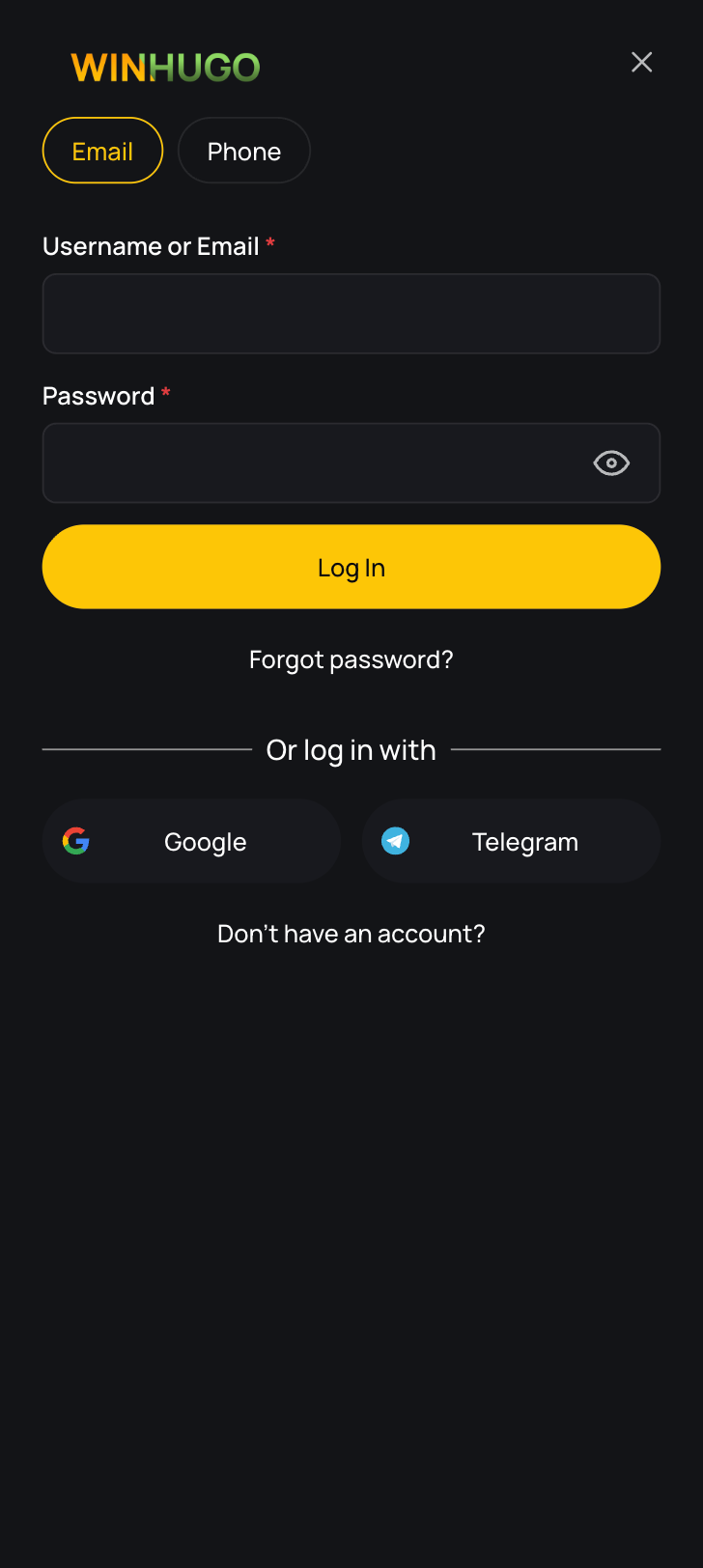
The login flow is conventional. Email plus password, no social sign-in options at the time of our testing, no phone-only shortcut. Here's the sequence we used every single session:
- Open the WinHugo site through our official link or launch the mobile app shortcut.
- Hit the Login button in the top-right of the navigation bar.
- Enter the email address you registered with. Not a username, not a nickname. The email.
- Type your password. Case-sensitive, so check caps lock before you blame the site.
- Press Login and wait for the balance to load in the header.
- If a verification code lands in your inbox or by SMS, enter it to finish the session.
Average load time across our tests: around 3 seconds on fibre broadband, 5 to 6 on 4G in a weak-signal area. Nothing dramatic.
One quirk worth flagging. WinHugo runs across several mirror domains (winhugo.com, winhugo2.com, winhugo3.com, winhugo4.com and regional variants). Your credentials work on the main brand domain, but if you land on a regional mirror you may be looking at a slightly different deployment. We always recommend using the same entry point each time so the session cookie behaves predictably.
Login WinHugo via Official Website
Desktop login is the path we'd suggest for anything financial. Deposits, withdrawals, document uploads, bonus activation... larger screen, fewer mis-taps.
Open the site, click Login, fill the two fields, submit. The dashboard loads with your balance, active bonuses, loyalty XP progress and the cashier shortcut. Our tester found the loyalty widget genuinely useful here, since WinHugo runs a 30-level programme with seven VIP tiers (AMIGO through to BOSS HUGO) and the level bar sits right there after login.
A few desktop-specific notes from testing:
- Browser autofill worked cleanly in Chrome and Firefox. Safari needed one manual re-entry.
- Clearing cookies logs you out immediately, obviously, but it also resets saved login preferences.
- Sessions timed out after a period of inactivity, roughly 20 to 30 minutes in our runs. Good for security, mildly annoying mid-session if you step away.
- Ad-blockers occasionally interfered with the login modal rendering. Whitelisting the domain fixed it.
Rating for desktop login experience, Tips.GG team: 4.2 / 5. Fast, uncomplicated, no two-factor prompt forced on you (which some readers will like and others won't).
- Football, tennis, golf, hockey, handball
- Live betting on top European leagues
- Sportsbook, casino and poker in one account
Login WinHugo via Mobile App
WinHugo markets a mobile app heavily across its domains. What you actually get, based on our testing, is closer to a mobile-optimised wrapper of the web platform rather than a store-listed native application. Android users can install it as a shortcut or via a site-hosted package; iOS users we tested on simply added the site to the home screen, which behaves almost identically.
Login steps on mobile:
- Tap the app icon or open the site in your mobile browser.
- Tap the menu, then Login.
- Enter email and password.
- Allow your device keychain to save the credentials if you want one-tap access later.
- Confirm any emailed or texted code.
Feature parity between desktop and mobile is near-total. Live casino, the sportsbook, esports markets, cashier, promotions, loyalty section, all present. Our tester placed a live football bet from a phone during a match and the bet slip updated odds without reloading the page, which is more than we can say for some bigger brands.
Players in India, Canada and parts of Latin America tend to live on mobile, and the mobile app review verdict from our side is 4 / 5. Deducted a little because there's no dedicated App Store listing and push notification handling is inconsistent.
Fingerprint or Face ID Login
Honestly, this is the weakest part of the login stack. WinHugo does not advertise first-party biometric authentication, and during testing we found no in-app toggle for Face ID or fingerprint unlock.
What does work: your phone's own credential manager. Save the WinHugo email and password into iCloud Keychain, Google Password Manager, 1Password, Bitwarden, whatever you use. On the next visit, tap the email field and authenticate with Face ID or your fingerprint to autofill. The biometric check happens at the operating system level, not inside the app, but functionally you get the same one-touch result.
Set-up, briefly:
- Log in once manually on your phone.
- Accept the "save password" prompt from your browser or password manager.
- Enable biometric unlock inside that password manager's settings.
- Next login, tap the field, scan your face or finger, submit.
Not elegant. Works though. We'd like to see native biometric support added, and we've said as much in our main WinHugo review coverage.
WinHugo
Common Login Problems & Solutions
Across roughly six weeks of account activity our team hit four distinct login hiccups. None were catastrophic. Most were self-inflicted (expired session, wrong mirror domain, aggressive VPN). The table below covers what we saw plus the issues readers report most often.
| ⚠️ Problem | Likely Cause | ✅ Fix | Typical Resolution Time |
|---|---|---|---|
| Wrong email or password error | Typo, caps lock, autofill pulling an old password | Re-type manually, then use password reset if two attempts fail | 2 minutes |
| Page won't load at all | Mirror domain down or ISP-level block | Try the main domain via our official link, switch network | 5 minutes |
| Login button unresponsive | Ad-blocker or script blocker | Whitelist the domain, disable extensions, refresh | 1 minute |
| Code never arrives | Email in spam, wrong phone number on file | Check spam folder, request resend, contact support | 10 to 30 minutes |
| Account blocked message | Compliance review, pending KYC, duplicate account flag | Email support with your account ID, submit documents | 1 to 13 days (our observation) |
| Session drops repeatedly | Cookie conflict, multiple tabs, VPN IP rotation | Clear cache, single tab, disable VPN | 5 minutes |
| Geo-block / region error | Travelling abroad or restricted jurisdiction | Verify local legality, contact support before changing anything | Varies |
One thing we'll be straight about: the "account blocked" row has the widest time range for a reason. Independent player reports around WinHugo and its operator CBC Group Ltd describe reviews stretching well past a week in some withdrawal-linked cases. Our own test withdrawal cleared without that friction, but we're not going to pretend the complaint history doesn't exist. Read Your Rights As A Player before you deposit heavily anywhere offshore.
- Also read: WinHugo Review & Expert Rating
Forgotten Username or Password
There is no separate username at WinHugo. Your email is your identifier, which removes half the usual confusion. If you can't recall which email you signed up with, check your inbox archives for the welcome message or the Level 2 free spins notification the loyalty programme sends after email and phone verification.
Password recovery runs through the standard email flow. Click Forgot Password on the login modal, enter your registered email address, and wait for the reset link. In our test it arrived in under four minutes. Open the link, set a new password, log in again. The reset link expires, so don't sit on it for an hour and then complain.
Two practical warnings. First, the reset email sometimes lands in promotions or spam, particularly on Gmail. Second, if your registered email itself is compromised or inaccessible, the reset route is effectively closed and you'll need to contact support directly with identity documents. That process is slower and we'd rather you never need it.
Account Blocked or Suspended
Accounts at any licensed sportsbook can be restricted for a handful of reasons: incomplete KYC, mismatched payment details, suspected duplicate registration, bonus terms breaches, or activity flagged by the operator's internal risk system. WinHugo operates under an Anjouan licence (ALSI-202409014-FI1) held by CBC Group Ltd, with payments processed through CBC Group LP in London, and that framework gives the operator fairly broad discretion over account reviews.
If you see a block notice, don't open a second account. That's the single worst move available and it converts a solvable problem into a permanent one. Instead, email [email protected] from your registered address, include your account identifier, state plainly what you were doing when access stopped, and ask for the specific reason and any documentation they need. Keep the tone factual. Keep screenshots of everything, including bet history and deposit confirmations, because having your own records matters more at offshore operators than at UK or Canadian licensed books.
Be realistic about timelines. Our testing showed support replying to general queries within a few hours, but compliance-related reviews move on their own schedule, and player reports suggest withdrawal-linked reviews at WinHugo have run close to two weeks. If a resolution stalls, escalate in writing to the licensing authority and lodge a complaint with an independent mediation service. Our view, stated without hedging: the recourse available under this licence is thinner than what you'd get from a UKGC or MGA-licensed brand, so size your bankroll accordingly and read our How We Rate methodology for the full scoring context.
Login Details Not Recognized
Sometimes everything looks correct and the system still refuses you. Before assuming the worst, work through the boring stuff. Confirm you're on the right domain, because credentials created on one WinHugo regional mirror occasionally don't resolve on another. Check that autofill hasn't quietly inserted an old password from a previous reset. Look for a trailing space at the end of the email field, which happens more often than anyone admits when copy-pasting.
Clear your browser cache and cookies, then try again in a private window. That single step fixed two of the three failures our tester encountered. If the error persists after a password reset, the account may be under review or, in rare cases, closed. At that point stop retrying, because repeated failed attempts can trigger a temporary lockout on top of whatever the original issue was. Email support and include the exact error text you're seeing. Vague messages get vague answers.
Website/App Maintenance
Planned maintenance is normal. Operators patch game provider integrations, update cashier modules, rotate security certificates, and occasionally migrate between mirror domains. WinHugo runs integrations with roughly seventy-one game providers, which means more moving parts than a small sportsbook and a slightly higher chance of a scheduled window affecting you.
During maintenance you'll typically see a holding page or a login modal that spins without resolving. Don't reset your password, nothing is wrong with your credentials. Wait fifteen to thirty minutes and try again, or check the operator's WhatsApp channel, which doubles as a de facto status feed and also carries promotional offers like the 50 free spins for subscribers. Unplanned outages happen too, and if an outage coincides with a pending bet you should screenshot the bet slip immediately. Settled-bet disputes go far better when you have evidence rather than recollection.
Login from Restricted Region
Travel breaks a lot of betting accounts. If you registered in one country and try to log in from another, geo-detection may block the session even though your credentials are fine. Players from the UK and several EU markets should note that WinHugo is not locally licensed in those jurisdictions, so access can be inconsistent and legal standing varies. Brazil and wider Latin America are the brand's clear focus, and that's where the platform behaves most reliably.
Our advice, and it's deliberately conservative: check whether online betting is legal where you currently are before doing anything else. If it is, and the block appears to be technical, contact support and explain that you're travelling. If it isn't legal locally, don't try to work around it. Masking your location with a VPN is the fastest way to have a profitable balance frozen under a terms breach, and offshore operators lean on those clauses hard. No bonus is worth that. Gamble responsibly and within your own jurisdiction's rules, and if you need a refresher on safer play, our responsible gaming hub covers limits and self-exclusion tools.
- Football, tennis, golf, hockey, handball
- Live betting on top European leagues
- Sportsbook, casino and poker in one account
How to Register at WinHugo
New users first. Registration took our tester under five minutes, with first deposit and bonus activation pushing the whole thing to roughly fifteen. Standard stuff.
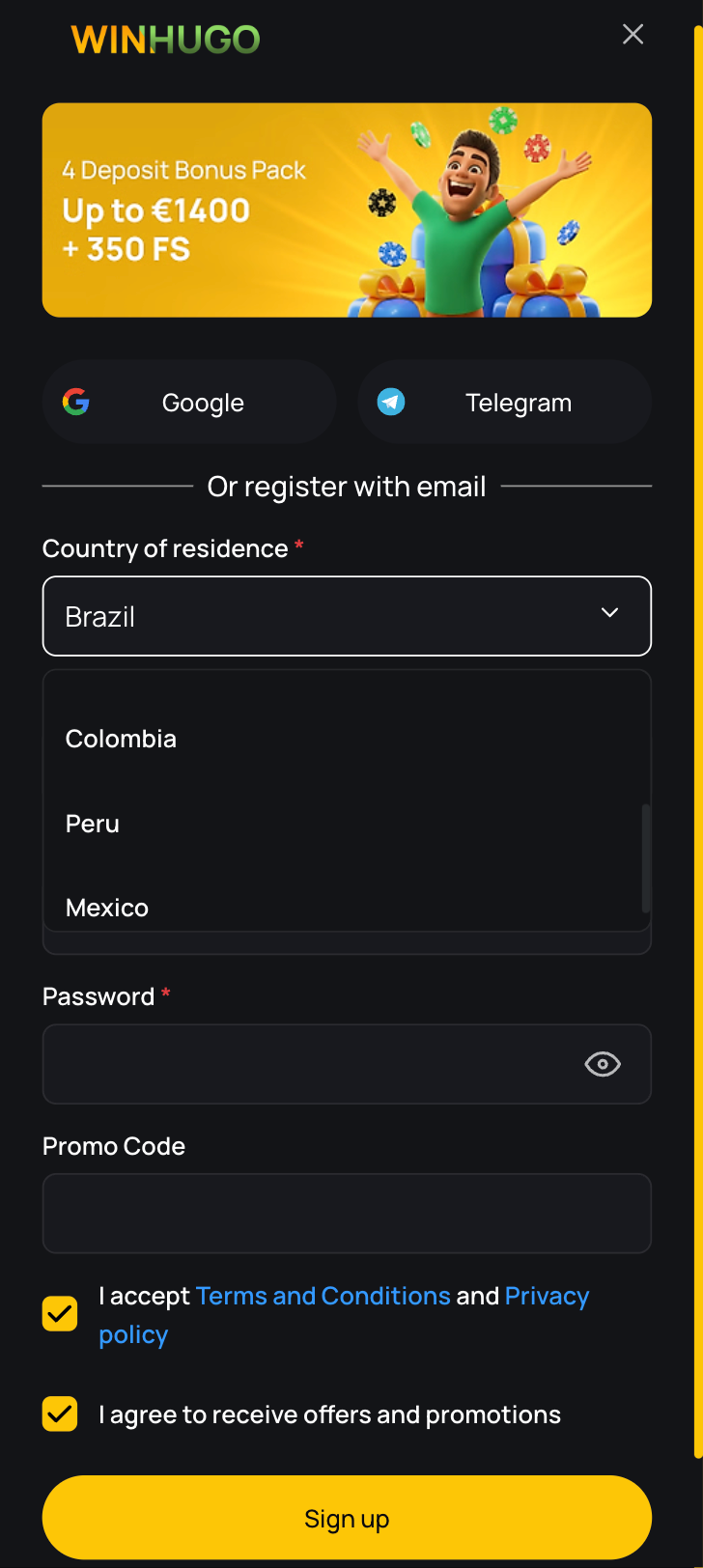
- Click through using our official WinHugo registration link so the promo attaches correctly.
- Hit Register in the top navigation.
- Enter a valid email address, create a strong password (12+ characters, mixed case, symbols).
- Add your mobile number, including country code. You'll need this verified for the loyalty programme anyway.
- Select your currency and country of residence. Choose carefully, currency usually can't be changed later.
- Enter promo code TIPSGG in the bonus field to lock in the 100% bonus up to $350 welcome offer.
- Tick the terms and age confirmation boxes, then submit.
- Open the verification email and click the confirmation link.
- Verify your phone via the SMS code. This unlocks Level 2 and a 20 free spins welcome prize.
- Make your first deposit through the cashier and the bonus should credit automatically.
Use real details that match your ID and payment method. Any mismatch between your registration name and the name on your card or e-wallet will surface at withdrawal time, and that's the single most common cause of delayed payouts across the entire industry. One account per person, per household. Not negotiable.
Registration experience rating from our team: 4.5 / 5. Quick, no awkward document demands up front, bonus credited as advertised. New to betting generally? Start with our guide on how to bet on sports before you fund anything.
WinHugo
Verification & Login Security
Verification at WinHugo happens in stages rather than all at once. Email and phone confirmation come first and are tied directly to loyalty progression. Full KYC document checks typically trigger later, most often at the first meaningful withdrawal request or when the risk system flags something. That's typical of offshore operators and it cuts both ways: easier onboarding, but a documentation scramble right when you want your money.
Our strong recommendation is to complete KYC proactively, right after your first deposit, before you ever request a payout. It removes the most common withdrawal bottleneck entirely. Our tester did exactly that and the subsequent withdrawal processed without a document request holding things up.
| 🔐 Verification Step | What's Required | When It's Triggered | Our Test Timing |
|---|---|---|---|
| Email confirmation | Click link in inbox | Immediately at signup | Under 2 minutes |
| Phone verification | SMS code entry | At signup or Level 2 | Under 3 minutes |
| Identity (ID/KYC) | Passport, national ID or driving licence | First withdrawal or risk flag | Roughly 24 hours |
| Proof of address | Utility bill or bank statement, last 3 months | With ID check | Roughly 24 hours |
| Payment ownership | Masked card image or e-wallet screenshot | Larger or unusual withdrawals | Not requested in our test |
| Two-factor authentication | Not offered natively | N/A | Use device-level protection instead |
Security verdict: 3.5 / 5. Connections are encrypted, payment handling routes through a UK-registered processing entity, and the staged verification is user-friendly. The absence of native two-factor authentication is the real gap, and it means your password is doing all the work. Make it unique to this site. Never reuse it. Our editorial policy explains how we weigh licensing and security in every score we publish.
- Also read: WinHugo Bonus Code & Promotions
Customer Support for Login Issues
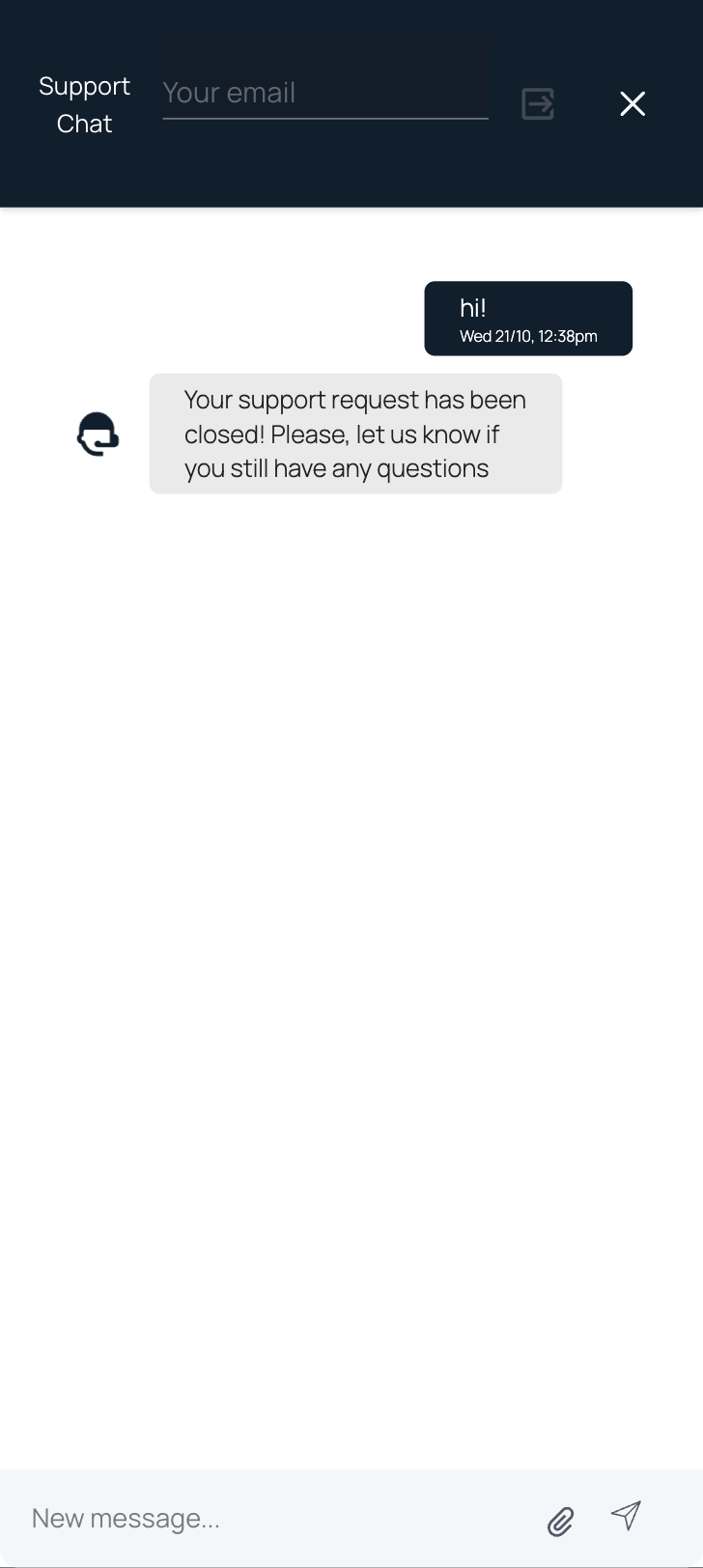
We tested support at three different times of day, including one 2am message, posing as a user locked out after a password reset. Email replies came back in three to seven hours depending on the hour sent. The VIP programme advertises 24/7 support and the on-site help section exists, though it's not as prominent as we'd like. There is no published phone line and no departmental addresses for security or KYC specifically, so everything funnels through one general pipeline.
When you write in, include your registered email, the exact error message, the device and browser you're using, and the time the problem started. Agents handling a single inbox move faster on tickets that don't require follow-up questions.
| 📞 Channel | Details | Best For | Our Measured Response |
|---|---|---|---|
| Email support | [email protected] | Blocked accounts, KYC, disputes | 3 to 7 hours |
| On-site support section | Footer link, main domain | General queries, quick fixes | Varies by load |
| WhatsApp channel | Subscribe via promotions page | Status updates, offers, informal contact | Mostly broadcast, not ticketing |
| 24/7 availability | Advertised via VIP club | Out-of-hours login trouble | Confirmed overnight reply |
Support rating from the Tips.GG team: 3.5 / 5. Responsive for routine login questions, noticeably less forthcoming on compliance detail. Set expectations accordingly.
WinHugo
Tips for Easy WinHugo Login
Logging into the WinHugo betting site is straightforward on both desktop and mobile. Email, password, done. The problems that do crop up are almost always fixable in under five minutes, and the ones that aren't tend to involve compliance rather than technology. Our full WinHugo review 2026 testing produced a solid login experience with a few gaps worth knowing about, chiefly the missing native two-factor option and the mirror-domain shuffle.
Keep access simple and secure with these habits:
- Bookmark one entry point and always use it. Our official link keeps the TIPSGG promo attached and lands you on the right domain.
- Use a unique password of 12 characters or more. Store it in a password manager with biometric unlock.
- Verify email, phone and full KYC early, long before your first withdrawal request.
- Never open a second account, even if the first one looks stuck.
- Skip VPNs entirely while your balance is live.
- Keep screenshots of deposits, bets and support conversations.
- Log out on shared or public devices rather than relying on session timeout.
- Set deposit limits at registration, not after a bad week.
Comparing options? Our rundown of the best football betting websites covers alternatives and the sports betting glossary will sort out any terminology you trip over along the way.
- Football, tennis, golf, hockey, handball
- Live betting on top European leagues
- Sportsbook, casino and poker in one account
FAQ
Can I Log in Without Registration?
No. Real-money play requires a registered account. You can browse the sportsbook odds, scan live casino lobbies and read promotion terms without logging in, but placing a bet, claiming the 100% bonus up to $350, or touching the cashier all demand a verified account. Registration takes about five minutes.
Can I Create Multiple Accounts?
Absolutely not. One account per person and, in practice, one per household, IP address and payment method. Duplicate accounts are one of the fastest routes to closure and confiscated balances at any offshore operator, and WinHugo reserves wide discretion here. If you're genuinely locked out, fix the original account through support rather than starting over.
How to Reset My Account Password?
Click Forgot Password on the login screen, enter your registered email, and open the reset link that arrives (ours took under four minutes). Set a new password, then log in. Check spam if nothing shows. If your email account itself is inaccessible, contact [email protected] directly and be ready to verify identity with documents.
What If My Account Was Stolen or Hacked?
Move fast. Change the password immediately if you still have access, then change your email password too. Email support from the registered address, describe what happened, and request an urgent freeze on the account and any pending withdrawals. Include timestamps and transaction details. Then review every device you've logged in from. Recovery outcomes at offshore-licensed books are less predictable than at UK or Canadian regulated brands, so prevention genuinely matters more here than remediation.
Why Can't I Access the WinHugo Website/App?
Common causes, roughly in order of likelihood: scheduled maintenance, an ISP-level domain block, you've landed on an inactive mirror, an ad-blocker breaking the login script, or you're attempting access from a restricted region. Try the main domain via our official link first, then switch networks, then disable extensions. If it's a regional restriction, verify the legal position where you are before doing anything else.
Is WinHugo Login Safe and Secure?
The login itself runs over encrypted connections and the staged email-plus-phone verification adds a reasonable layer. Our testers never experienced a security incident across six weeks of use. The honest caveat is that WinHugo operates on an Anjouan licence rather than a UKGC or MGA one, there's no native two-factor authentication, and player protection mechanisms are thinner than you'd find at tier-one licensed operators. We rate login security 3.5 / 5. Use a unique password, enable biometric unlock through your device, complete KYC early, and keep stakes within limits you'd shrug off.