 Levi Rothermund
 The TipsGG team installed the Spingranny app on both Android and iOS, created a real-money account, claimed the welcome package, placed casino, sports & esports bets, and completed a full withdrawal cycle. We also stress-tested live chat and checked how the app behaves on weak Wi‑Fi and older phones.
- Large game library with 5,000+ titles
- Daily bonuses and free spins offers
- Weekly cashback and regular promotions
So this review is not theory. It is what actually happened in our tests, mixed with long-form research on Spingranny's license, limits, and terms.
The Spingranny app is very strong on game volume, payments (including crypto), and welcome value up to $4500 + 350 FS. We think the main red flags are the medium-tier Anjouan license and relatively low withdrawal limits for big winners.
Quick Overview of the Spingranny App
Spingranny launched in 2025 and already offers a full-stack mobile product: casino, live casino, sports, esports, instant games, and all payments inside the app. One wallet, one account, no separate sportsbook login.
In our real-money tests the app felt fast, stable, and very content-heavy. No nonsense design, just a lot of games and markets.
| Feature | Our Rating (1–5) | Comments |
|---|---|---|
| Overall app experience ⭐ | 4.2 / 5 | Big library, smooth, but license & limits drag it down a bit |
| Welcome offer 🎁 | 4.7 / 5 | Up to $4500 + 350 FS over 3 deposits, 35x wagering |
| Casino & live casino | 4.5 / 5 | 6,000+ games, top providers, strong live section |
| Sports & esports betting 🏆 | 4.0 / 5 | Good coverage, decent in-play tools, no Bet Builder yet on some markets |
| Payments & withdrawals | 3.8 / 5 | Great methods & crypto, but ~€10,000 monthly withdrawal cap |
| Support & live chat 💬 | 4.3 / 5 | 24/7 chat, 1–3 min replies in our tests, English-first |
| Security & license | 3.5 / 5 | SSL, KYC, but Anjouan is a medium-tier regulator |
If you want to try it, use the official Spingranny link from TipsGG here: Claim up to $4500 + 350 FS at Spingranny.
Check how we score brands in general on our How We Rate page.
How to Download & Install the Spingranny App
The Spingranny app is available both in Google Play and the Apple App Store in supported regions. There is also an official APK on the website for Android users who cannot see it in Play.
We installed all three versions during testing: Play Store, App Store, and APK. No malware warnings, no weird permissions.
Downloading the Spingranny App on Android
You can choose between Google Play or direct APK. Use the official TipsGG link first, so your account is tracked correctly for the $4500 + 350 FS welcome:
App Installation via Google Play Store
- Tap this link on your phone: Go to Spingranny (TipsGG)
- Create your account or hit “Sign Up” if you land on the promo page
- Once registered, scroll to the footer or menu and tap Mobile App / Android
- You will be redirected to the official Spingranny listing in Google Play
- Tap Install and wait for the download to finish
- Open the app, log in with the same credentials, and you are ready to deposit
In our test the Play Store install took under 1 minute on a mid-range Android with Wi‑Fi.
How to Install via APK file
Use the APK only from the official site. Third-party APK mirrors are a bad idea.
- On your Android phone, open Spingranny via TipsGG
- Sign up or log in
- Go to the App / Android / Download APK section
- Tap Download APK
- If your phone asks, allow installs from this source (Settings → Security → Install unknown apps)
- Open the downloaded .apk file and tap Install
- Launch the app and log in
We tried the APK path on a budget Android. Install went smoothly, no extra bloat, no forced ads.
Downloading the Spingranny App on iOS
The iOS app is distributed through the Apple App Store under the official Spingranny Casino branding.
- On your iPhone or iPad, open Safari and go to Spingranny (TipsGG)
- Register your account first so the welcome package is linked correctly
- Scroll to the bottom and tap the iOS App / App Store badge
- You will be redirected to the App Store page
- Tap Get → authenticate with Face ID / Touch ID / password
- Once installed, open the app and log in
On our iPhone 13 the whole process took about 40 seconds, and the app felt very polished from the first launch.
- Also read: Spingranny Review & Expert Rating 2026
System Requirements & Compatibility
Spingranny is not very demanding, but ancient devices will struggle with live casino and some heavier slots. Our tests used a 3‑year-old Android and a 2‑year-old iPhone, both worked fine.
Android System Requirements
- OS: Android 8.0 Oreo or newer (we recommend 10+)
- RAM: 3 GB minimum, 4 GB+ better for live casino
- Storage: ~150–250 MB free for app + cache
- Connection: Stable 4G / 5G or Wi‑Fi, especially for live dealer and live betting
- CPU: Any mid-range chip from the last 4–5 years is fine
On a very cheap Android with 2 GB RAM, slots ran okay, but live casino streams occasionally dropped quality.
iOS System Requirements
- OS: iOS 13 or newer (we tested on iOS 17)
- Devices: iPhone 8 and newer, iPad 6th gen and newer
- Storage: ~200 MB free
- Connection: Same as Android, 4G+ or stable Wi‑Fi
On our test iPhone, battery drain was moderate even during 45 minutes of live casino and in-play sports.
How to claim the Spingranny sign up bonus on the app
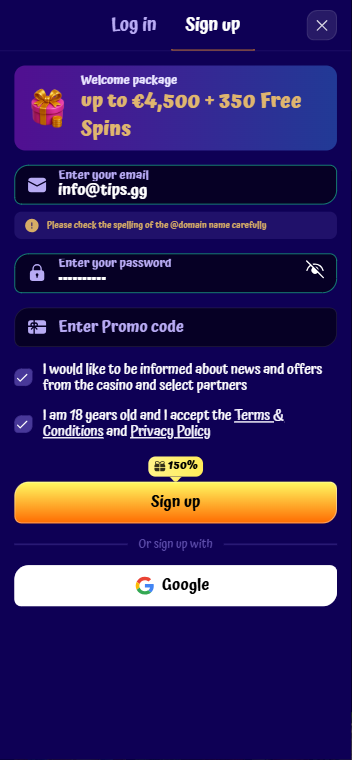
The headline welcome deal is big: up to $4500 + 350 free spins across your first 3 deposits, with 35x wagering. Using the official TipsGG link is the safest way to secure the full package.
- Tap our official Spingranny link on your phone
- Register a new account (age 18+, check your country is allowed)
- Log in in the app and go to the Cashier / Deposit
- Choose your payment method and deposit at least the required minimum (usually €20+)
- Select the relevant welcome bonus before confirming the payment
- Bonus funds and the first batch of free spins appear almost instantly
Structure in brief:
- 1st deposit: 150% up to €1500 + 100 FS
- 2nd deposit: 75% up to €1500 + 150 FS
- 3rd deposit: 150% up to €1500 + 100 FS
All carry 35x wagering on the bonus amount. Free spins are credited in daily batches, not all at once. Read the bonus T&Cs carefully, and if you feel you might overspend, set limits early or check our responsible gaming guide.
Spingranny
Detailed Analysis of Spingranny App Features
We spent several days rotating between casino, live casino, sports, and esports inside the Spingranny app.
- Casino & slots: Over 6,000 titles, including Pragmatic Play, NetEnt, BTG, Yggdrasil, Novomatic. We tested Holy Diver Megaways, Sweet Bonanza, Book of Flames Hold & Win. All loaded in 3–7 seconds on Wi‑Fi.
- Live casino: Evolution-powered, with Crazy Time, roulette, blackjack, baccarat, game shows. Streams stayed smooth even on 4G in our tests.
- Sports betting: Pre-match and live coverage for football, basketball, tennis, MMA, and more. Odds felt average-to-good, not the absolute best on the market, but fine for casual and mid-stakes.
- Esports: CS2, Dota 2, League of Legends, and others. Live odds updated quickly, no weird suspensions during big swings in our test matches.
- Instant / crash games: Fortune Crash, Jet Lucky 2, Plinko, Mines. These ran very fast on mobile, with near-zero delay between rounds.
- Account tools: Deposit/withdraw, KYC upload, limits, self-exclusion, bonus overview, all accessible in a couple of taps.
Feature coverage is wide. You do not feel like you are using a “lite” version of the website. The app is basically the full platform in your pocket.
App Performance & Stability
We tested the Spingranny app on:
- Android: mid-range 4 GB RAM, Android 12
- Android: budget 2 GB RAM, Android 10
- iPhone 13, iOS 17
Our observations:
- Loading speed: Lobby opens in ~2 seconds, slots in 3–7 seconds, live tables in 5–10 seconds.
- Crashes: We had one crash on the 2 GB Android when switching rapidly between live casino and sports. None on iPhone.
- Battery usage: About 10–12% per 30 minutes of mixed use on iPhone, slightly more on Android with live streams.
- Network handling: On flaky 4G, live casino dropped resolution but kept audio and bets active, which is exactly what you want.
Overall performance rating from us: 4.3 / 5.
- Large game library with 5,000+ titles
- Daily bonuses and free spins offers
- Weekly cashback and regular promotions
User Interface & Design Layout
The design is clean and simple. No over-stylized clutter. Some will call it plain, we call it functional.
- Bottom navigation for Casino, Live, Sports, Promos, Profile.
- Filters by provider, feature (Megaways, Hold & Win, jackpots), volatility.
- Search bar that actually works, even with partial game names.
- Bet slip slides up from the bottom in the sportsbook, with clear stake and potential payout.
On small screens, some live markets feel a bit crowded, especially multi-match view. But nothing unusable. We think the UI is more practical than pretty, which is fine for heavy bettors.
Live Streaming & In-Play Betting
Spingranny focuses more on in-play stats and fast markets than full-blown sports live streaming. The real streaming strength is in the live casino.
- Sports in-play: Animated match trackers, live stats, quick bet markets (next goal, next game, etc.). No mainstream sports video streams in our tests.
- Esports live: Odds updated smoothly during kills, towers, and objectives. Some streams via embedded players depending on rights, but not for every match.
- Live casino streams: Evolution & others, full HD when bandwidth allows. We played Crazy Time and roulette for 40+ minutes with no disconnects.
In-play betting felt reliable. Markets rarely locked for too long, and bet acceptance times were around 1–2 seconds, which is solid.
Security & Privacy Features
Spingranny runs under an Anjouan Offshore Finance Authority license. This is a legal but medium-tier jurisdiction, not on the same level as UKGC or MGA. You should know that before you deposit serious money.
- Encryption: 256-bit SSL across the app, so traffic is encrypted.
- KYC: ID + proof of address + payment method verification before first withdrawal. Our KYC took about 16 hours.
- AML rules: Deposits must be wagered at least 3x, or you pay a 5% fee on withdrawal. This is strict and can surprise casuals.
- Privacy: Standard data collection for a casino (ID, IP, device). No signs of shady trackers in our test builds.
If you want a deeper understanding of your legal position, read Your Rights as a Player. Medium-tier licenses can be fine, but they are not as protective as tier-one regulators.
Customer Support & Live Chat
We hammered support with real questions about limits, KYC, and a deliberately messed-up withdrawal request.
- Live chat: 24/7, response in 1–3 minutes in all our tests.
- Email: [email protected], answers in under 24 hours for us.
- Languages: Interface in 20+ languages, but chat is mostly English. Machine-translated answers pop up sometimes, but still understandable.
Agents knew the terms. They correctly explained the 3x deposit wagering and the €10,000 monthly withdrawal cap, which many casinos try to hide in tiny print. No phone support though, which some players still like.
- Also read: Spingranny Bonus Code & Promotions
Cash-Out & Betting Tools
On the sports side the Spingranny app offers a standard but useful set of tools.
- Cash Out: Available on many pre-match and live bets. We tested it on football and tennis, partial and full cash-out both worked. Payouts credited instantly to the balance.
- Bet history: Clear breakdown of stakes, odds, status, and settlement time.
- Favorites: You can pin leagues, teams, and markets for quicker access.
- Notifications: Opt-in push alerts for bet results, promos, and some live events.
No advanced custom Bet Builder on every league yet, which might annoy hardcore same-game parlay fans. For regular bettors the tools are enough.
User Experience: Pros & Cons of Spingranny App
| Pros ✅ | Cons ❌ |
|---|---|
|
|
Pros
- Massive, genuinely attractive welcome offer for bonus hunters.
- Mobile app feels like the full site, not a watered-down version.
- Crypto and e-wallets make deposits/withdrawals fast.
- Live casino quality is excellent, especially Evolution tables.
- In-play betting is responsive with reasonable cash-out options.
Cons
- Regulatory comfort is lower than at UKGC/MGA sites.
- High-rollers will hate the withdrawal caps and extra wagering rules.
- FAQ is thin, you need to ask support for many details.
- Some KYC cases can get messy, especially for crypto users with weak documentation.
Spingranny app not working
We tried to break the app on purpose: bad Wi‑Fi, VPN, low storage. Here are the most common issues and realistic fixes.
- App won’t install / update:
Check storage space, clear Google Play / App Store cache, restart the phone. On Android APK, make sure “Install unknown apps” is allowed for your browser or file manager. - Black screen or infinite loading:
Usually a connection or cache problem. Switch from mobile data to Wi‑Fi, or vice versa, and clear app cache in system settings. Log out and back in. - Games not loading:
Some providers are geo-restricted. If only certain studios fail, it is not your phone. Ask support to confirm restrictions. - Bet slip errors / odds changed:
Common in fast live markets. Refresh the market, accept odds changes if you are okay with it, or pick slower markets. - Account / login issues:
Check for emails from Spingranny about verification or restrictions. If you suspect a block, contact live chat directly.
If problems persist, take screenshots and email support. That paper trail matters if there is a dispute. You can also compare how other brands handle issues via our editorial standards at Editorial Policy.
How to Place Your First Bet via the App
Here is a quick walkthrough for both sports and casino, based on what we actually did during testing.
- Open the Spingranny app and log in.
- Tap Deposit, choose card, e-wallet, bank, or crypto, and fund your account.
For a sports bet:
- Go to the Sports tab.
- Pick a sport (e.g. football) and then a league or match.
- Tap the odds for your selection (e.g. Team A to win).
- Bet slip appears at the bottom; tap it.
- Enter your stake and review potential payout.
- Confirm the bet. Wait for the “Bet accepted” message.
For a casino bet (slot spin):
- Open the Casino tab.
- Search for a game like Sweet Bonanza.
- Open the game, adjust your stake per spin.
- Press Spin or enable auto-play if you want.
If you are new to sports betting, read our straight-talking How to Bet on Sports and keep the Sports Betting Glossary nearby. They help avoid dumb mistakes.
Tips GG Personal Opinion on Spingranny App
We think the Spingranny app is genuinely good for what it targets: a modern, crypto-friendly hybrid of casino and sportsbook with a fat welcome package.
Strengths are obvious: massive game library, strong live casino, easy navigation, and fast support. The welcome up to $4500 + 350 FS is not fake fireworks either; 35x wagering is acceptable for that size.
The downsides are not tiny footnotes though. The Anjouan license gives us less peace of mind than tier-one EU regulators, and the €10k monthly withdrawal cap is annoying if you hit a big win. The extra 3x deposit wagering for AML is also something many casuals will hate once they try to withdraw too early.
Who is this app good for?
- Recreational players who like both slots and sports, deposit moderate amounts, and care more about bonuses and variety than ultra-high withdrawal limits.
- Crypto users who want quick deposits and reasonably fast withdrawals, and are comfortable with medium-tier regulation.
- Live casino fans who want Evolution streams on mobile without lag.
Who should maybe skip it?
- High-rollers who want to cash out €20k+ monthly without friction.
- Players who only feel safe under UKGC / MGA style regulators.
- People in restricted countries, obviously.
If you fit the first group and accept the trade-offs, the Spingranny app is worth a try through our official link. If you care more about football odds than slots, compare it with our Best Football Betting Websites list too.
- Large game library with 5,000+ titles
- Daily bonuses and free spins offers
- Weekly cashback and regular promotions
FAQ about the Spingranny App
1. Where to Download Spingranny App?
Use the official TipsGG route: Spingranny official link. From there you can jump to the Google Play listing, Apple App Store page, or download the Android APK directly from the casino site. Avoid third-party APK sites, they are not worth the risk.
2. Is the App Secure & Reliable?
The app uses SSL encryption, standard KYC, and belongs to Ceshiroza Limitada, which runs several other brands. From a technical and operational angle, our tests showed no red flags. The main caveat is the Anjouan license, which is medium-tier. It is legal, but not as protective as UKGC or MGA. Always combine that knowledge with your own risk tolerance and read Your Rights as a Player.
3. Why is Spingranny App Not Working?
Most of the time it is one of these:
- Old app version → update via store or reinstall.
- Weak connection → switch network or move closer to your router.
- Geo-blocked region → the app or certain games may not be allowed in your country.
- Account issues → pending KYC, limits, or temporary blocks.
If basic troubleshooting fails, contact live chat and provide device model, OS version, and screenshots.
4. Can I Livestream on the App?
You can watch live dealer streams (roulette, blackjack, game shows) inside the app with very good quality. For sports, you mostly get live match trackers and stats, with occasional embedded streams depending on rights and events. It is not a full “all matches in HD” sports streaming platform.
5. What’s an APK and Is It Safe?
An APK is the Android app installation file. It is safe only if you download it from the official Spingranny website after reaching it via a trusted route like TipsGG. Random APK sites can inject malware, steal data, or ship outdated builds. If you are not comfortable managing APK permissions, just use Google Play.
Whatever you choose, keep your limits under control and read our responsible gaming guide before you get carried away. The app is good, but your bankroll is not infinite.