 Alex MacQuoid
 The TipsGG editorial team opened a real account at Koalabet, used our own crypto, placed sports and casino bets, and tested withdrawals and support. This login guide is based on that real experience, not just theory.
- Crypto-first betting with fast deposits and withdrawals
- Wide sports and esports coverage with live betting
- Modern interface optimized for mobile users
You will see exactly how to access your Koalabet betting site account, what to do if something goes wrong, and how to keep your profile safe. The same steps work for players from Canada, India, Brazil, Chile, Mexico, most of Europe, and other accepted regions, as long as your country is not restricted in Koalabet’s terms.
If you have not joined yet, you can register through the official TipsGG link for the current 100% Bonus | No Min/Max welcome offer: Go to official Koalabet via TipsGG.
How to Login to Your Koalabet Account
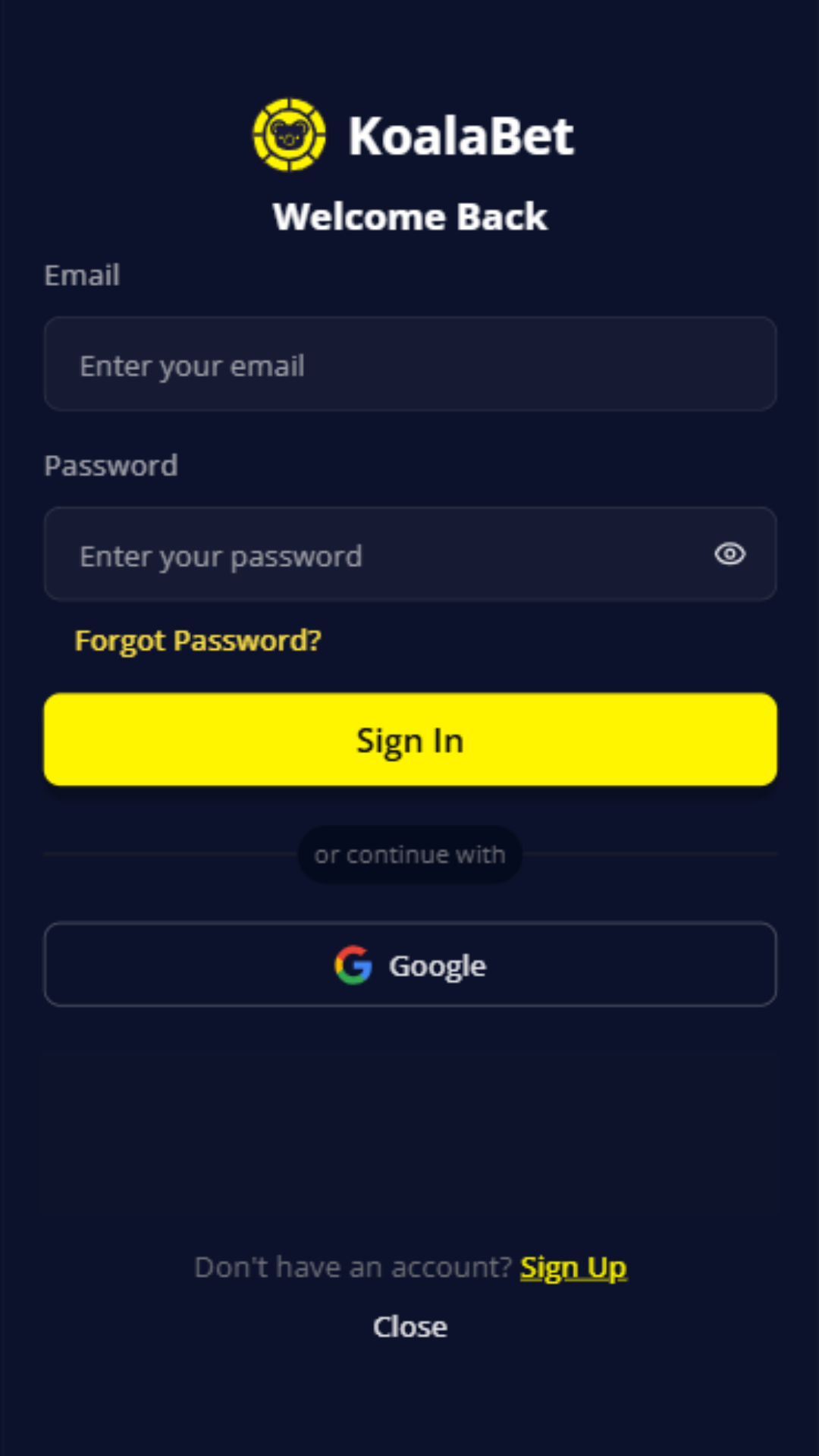
Here is the basic step-by-step login process that worked smoothly in our Koalabet review 2025 tests:
- Open the official Koalabet website using our secure link: Koalabet official login
- Check the address bar and make sure the URL starts with https:// and the domain is correct (no strange extra words or numbers)
- Click the “Login” button in the top-right corner
- Enter your registered email and password exactly as during registration
- If you use a password manager, let it auto-fill instead of typing manually
- Confirm that the correct currency and language are displayed (Koalabet auto-converts sportsbook balances to USD)
- Click “Sign In” and wait a few seconds for the redirect to your account dashboard
- If prompted, confirm your email (for first-time logins or after security checks)
During our testing, login usually took under 5 seconds from pressing the button to seeing the dashboard.
- Also read: Koalabet Review & Expert Rating 2026
Login Koalabet via Official Website
Desktop login is still the cleanest way to access the Koalabet betting site, especially if you are managing larger balances or verifying documents.
- Use a modern browser: Chrome, Firefox, Edge, or Safari
- Enter the site via TipsGG’s official route link: Open Koalabet on desktop
- Click Login in the top-right corner
- Type your email and password, or use your browser’s saved credentials
- Press Sign In
- Wait for the dashboard to load; in our Koalabet review 2025 test, it was instant on desktop
For security, we think desktop is best for changing personal data, setting limits, or sending documents for KYC.
Login Koalabet via Mobile App
Koalabet does not offer a native iOS or Android app in the App Store or Google Play. Instead, it uses a mobile-optimized website (PWA-style). In practice, it feels like an app but runs in your browser.
To log in on mobile:
- Open Chrome or Safari on your phone
- Tap our official link: Koalabet mobile login
- Hit the Menu icon (☰) if you do not see the login button immediately
- Tap Login
- Enter your email and password
- Tap Sign In
- Optionally, add Koalabet to your home screen from the browser menu so it behaves more like an app
On our phones, sports betting and live casino loaded quickly, though big game libraries can feel a bit heavier on older devices.
Fingerprint or Face ID Login
Koalabet does not have its own native biometric login system. No direct Face ID or fingerprint toggle in the account settings.
You can still get something similar by using your device’s password manager:
- Save your Koalabet login in iCloud Keychain (iOS) or Google Password Manager (Android)
- Next time you visit the login page, tap the auto-fill suggestion
- Your phone will ask for Face ID, Touch ID, or fingerprint before filling the fields
- Tap Sign In after auto-fill
This is the closest thing to biometric login right now. It worked reliably in our tests and is safer than typing passwords on public Wi‑Fi.
Koalabet
Common Login Problems & Solutions
We intentionally triggered several login errors during our Koalabet review 2025 tests: wrong passwords, VPN usage, maintenance, and more. Most issues were fixable in a few minutes.
| Problem 😕 | Likely Cause | Quick Solution ✅ |
|---|---|---|
| Wrong email or password | Typing mistake, Caps Lock, old password | Use “Forgot password”, check email spelling, disable Caps Lock, or auto-fill from a password manager |
| “Account blocked” message | Security check, KYC pending, ToS violation, VPN use, multiple accounts | Stop using VPN, contact support, send requested documents, wait for manual review |
| Login page not loading | Internet issues, browser cache, local ISP block, site maintenance | Try mobile data, different browser, or another device; wait 15–30 minutes if it is maintenance |
| Stuck on loading after login | Browser cache/cookies conflict or ad-block extensions | Clear cache & cookies, disable ad-block for Koalabet, log in again |
| Region restricted | Your IP is from a blocked country or state | Do not use VPN, only access from allowed countries, contact support if you moved |
| Maintenance page visible | Scheduled update or emergency fix | Wait, check official channels, avoid deposits until the site is fully back |
Forgotten Username or Password
Koalabet uses your email as the main login ID. If you forget the password or are not sure which email you used, do this:
- Go to the official login page
- Click or tap “Forgot password?”
- Enter the email you think is linked to your account
- Check your inbox and spam folder for a reset link from Koalabet
- Open the link and set a new strong password (at least 10–12 characters, mix of letters, numbers, symbols)
- Log in again with the new password
If you do not receive the email within 5–10 minutes, try another email you might have used, or contact support. During our tests, reset emails arrived in under 2 minutes.
Account Blocked or Suspended
This is stressful, but it is not always permanent. Common reasons at Koalabet include:
- Using VPNs or proxies to access from a restricted region
- Creating more than one account per person/household
- Unverified or suspicious payment activity
- Disputes around bonuses, rollover, or suspected bonus abuse
- Chargebacks or payment processor alerts
If you see a suspension message, stop trying random tricks. Just:
- Write to support via live chat or email from the same address linked to your account
- Explain briefly what happened and when you last logged in
- Attach clear photos of your ID and any requested documents if they ask for KYC
- Wait for their reply; in our testing, first human answers on serious issues took from 20 minutes to several hours, not instant
We think being polite and direct helps a lot here. Angry walls of text rarely speed things up.
Login Details Not Recognized
If Koalabet keeps saying your login details are wrong, even though you are sure they are correct, follow this sequence:
First, check for silly stuff: Caps Lock, keyboard language, extra spaces before or after your email, auto-correct changing your address on mobile. Then try the password reset flow. If the system still refuses your credentials, it might be one of two things: you registered with a different email, or the account has been limited or closed in the background. At that point, reach out to support, provide your full name, approximate registration date, and any transaction IDs you have from deposits. That usually helps them locate the account.
Website/App Maintenance
Sometimes Koalabet will show a maintenance page or just fail to load certain sections like the sportsbook or live casino. This can be scheduled updates, provider outages, or emergency fixes after a bug.
What you should do:
- Do not panic about your balance; maintenance does not delete funds
- Avoid depositing during unstable periods, even if the cashier still opens
- Wait 15–60 minutes and try again
- Check Koalabet’s social media or live chat for short status updates
During our Koalabet review 2025 sessions we hit one short maintenance window; login was unavailable for about 20 minutes and then everything came back with no issues.
Login from Restricted Region
If you are traveling or moved abroad, your IP address might suddenly fall into a restricted list. Koalabet has some blocked regions (for example, parts of the USA like Virginia) and will not legally let you log in from there.
Do not try to bypass this with VPNs. That can get your account closed and funds frozen. Instead:
- If you are only on a short trip to a restricted country, wait until you are back in an allowed region to log in or withdraw
- If you relocated permanently, contact support, explain the move, and ask what is allowed under their license
- Keep copies of your documents and withdrawal history in case you need to prove identity or residence
Different regulators treat this topic very differently, and Koalabet’s Anjouan license is more flexible than UK or MGA rules, but you should still follow their terms.
- Crypto-first betting with fast deposits and withdrawals
- Wide sports and esports coverage with live betting
- Modern interface optimized for mobile users
How to Register at Koalabet
If you are new and just want to claim the 100% Bonus | No Min/Max welcome offer via TipsGG, here is the registration process we used during our tests:
- Go to Koalabet official registration via TipsGG
- Click the “Sign Up” or “Register” button
- Enter your email, create a strong password, pick your preferred currency (remember: sportsbook uses USD internally)
- Fill in personal details: full name, date of birth, country, maybe address depending on your region
- Accept the Terms & Conditions and confirm you are over 18 (or local legal age)
- Optionally agree or refuse marketing emails
- Submit the form
- Open your email and click the confirmation link from Koalabet
- Log in and make your first deposit to activate the welcome bonus via our link
Registration itself took under 3 minutes for us. The KYC check can come later, usually when you request your first withdrawal or hit certain limits.
- Also read: Koalabet Bonus Code & Promotions
Verification & Login Security
Koalabet is licensed in Anjouan (Comoros), which is an offshore regulator. It still requires basic KYC checks, especially before withdrawals. In our real test, we were asked for identity verification before cashing out crypto, even though deposits were instant.
Typical verification steps:
- Upload a clear photo or scan of your ID (passport, national ID, or driver’s license)
- Sometimes a selfie with your ID
- Proof of address (utility bill, bank statement) if requested
- Occasional extra checks for large withdrawals or unusual activity
Security-wise, there is no traditional two-factor authentication toggle in settings yet, which we would really like to see. You should compensate with strong passwords and device-level protection.
| Security Feature 🔐 | Available at Koalabet? | Our Comment |
|---|---|---|
| KYC identity verification | Yes | Required before withdrawals; our documents were approved within 24 hours |
| Strong password requirement | Partially | Allows weak passwords, so you must set a strong one yourself |
| Two-factor authentication (2FA) | No | We think this is a downside; use password managers and device security instead |
| Biometric login | Indirect (via device) | No in-site Face ID toggle, but works through browser password auto-fill |
| Session timeouts | Yes | Auto-logs you out after inactivity, which is good for shared devices |
For more on how we judge safety and security, you can read our How We Rate and Editorial Policy pages.
Customer Support for Login Issues
If something about your Koalabet login feels off, contacting support is often the fastest route. In our Koalabet review 2025 testing, the AI chatbot answered instantly, while a human agent usually joined within 10–30 minutes depending on the time of day. Not lightning-fast, but workable.
Always write from your registered email and include your username, country, and a short description of the problem. Screenshots help a lot with login and error messages.
| Support Channel | How to Use It | Our Experience |
|---|---|---|
| Live Chat (website) | Open Koalabet, click chat icon, start with the bot, ask for human if needed | Instant bot, human in up to 30 min in our tests; answers were short but helpful |
| Email: [email protected] | For regular login problems, password resets, basic account questions | Replies within a few hours, sometimes slower at night |
| Email: [email protected] | For serious disputes, blocked accounts, or unresolved issues | Use clear subject lines, keep a record of all previous chats and emails |
| Social media (Twitter, Telegram, etc.) | Good for quick status checks or if you cannot access email | Mixed speed, but sometimes they respond here faster during busy times |
If you ever feel your rights as a player are not respected, read our guide on Your Rights As A Player.
Tips for Easy Koalabet Login
Koalabet login itself is simple. The real work is keeping it safe and avoiding small mistakes that can lock you out at the worst time. The platform is crypto-focused, licensed offshore, and has some quirks, but for everyday access it worked reliably in our live tests.
- Always use the official TipsGG link to avoid phishing: Open Koalabet safely
- Create a long, unique password and store it in a password manager
- Use Face ID or fingerprint through your device’s password auto-fill, not by typing on public Wi‑Fi
- Do not share your login with anyone, even “friends” who promise betting tips
- Avoid VPNs, especially from restricted countries; they can trigger blocks
- Verify your account early, before you hit a big win and need a fast withdrawal
- Log out on shared or work devices every time
- Check our Responsible Gaming page and set your own limits, both financial and time-based
If you want alternatives or to compare Koalabet betting site to other options, check our guides on Best Football Betting Websites, How to Bet On Sports, and our Sports Betting Glossary. They help a lot if you are still learning the terms.
- Crypto-first betting with fast deposits and withdrawals
- Wide sports and esports coverage with live betting
- Modern interface optimized for mobile users
FAQ
Can I Log in Without Registration?
No. You must create a Koalabet account before you can log in, deposit, or bet. You can browse some parts of the site as a guest, but real-money features need registration and age confirmation.
Can I Create Multiple Accounts?
No, and you really should not try. Koalabet’s rules allow only one account per person and usually per household. Multiple accounts can lead to blocked logins, canceled bonuses, and frozen withdrawals.
How to Reset My Account Password?
Use the “Forgot password?” link on the login page, enter your registered email, and follow the reset link they send. If no email arrives, check spam and then contact support from the same address you used to register.
What If My Account Was Stolen or Hacked?
Change your email password first, then contact Koalabet support immediately and ask them to lock the betting account. Provide ID and recent transaction details so they can confirm you are the real owner. After that, request a full login history and consider changing your Koalabet password from a clean device.
Why Can’t I Access the Koalabet Website/App?
Most often it is one of these: your internet connection is unstable, the site is under maintenance, your ISP is blocking the domain, or you are in a restricted region. Try a different network and device. If it still fails and you know your country is allowed, ask support for the current working URL.
Is Koalabet Login Safe and Secure?
The connection uses HTTPS encryption and our tests did not show obvious technical problems. The site is licensed in Anjouan, not top-tier regulators like the UKGC or MGA, so we rate safety as acceptable but not elite. If you use strong passwords, avoid sharing devices, and verify your account early, your login should be reasonably safe for normal use.