 Alex MacQuoid
 The TipsGG editorial team opened a real account on Crypto-games, deposited funds, placed bets, tested withdrawals, and contacted customer support multiple times to verify response quality. Everything you read here comes from that hands-on experience. If you already have an account and just need to get back in, the process is straightforward, though a few details depend on whether you're using the website or a mobile device.
- 10,000+ games from 60+ providers
- Fast and secure crypto payments
- Exclusive VIP rewards and cashback
How to Login to Your Crypto-games Account
Here's the general login flow:
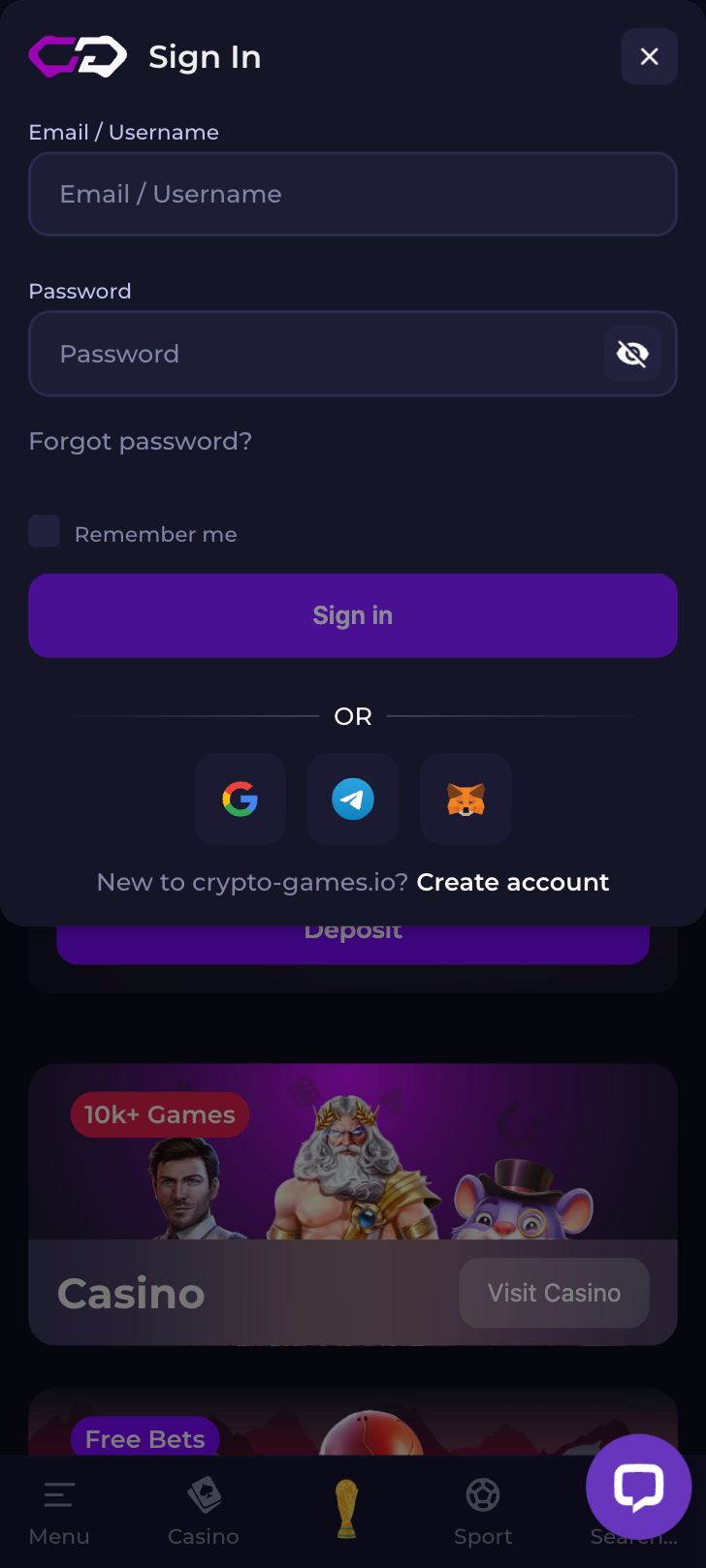
- Open the Crypto-games official website or app.
- Locate the Login or Sign In button, usually in the top-right corner of the page.
- Enter your registered email address (or username) and your password.
- If two-factor authentication (2FA) is enabled, input the code from your authenticator app.
- Click Login to access your dashboard, wallet balances, and active bets.
That's it at the surface level. But the specifics shift a bit depending on your device and preferred access method, so let's break those down.
Crypto-games
Login Crypto-games via Official Website
Desktop remains the most common way players access the Crypto-games betting site. We tested this across Chrome, Firefox, and Brave during our review period and found no compatibility issues worth mentioning.
- Open your preferred browser and navigate to the official Crypto-games URL. Always double-check the address bar to avoid phishing sites. Bookmark the real page once you've confirmed it.
- Click the Login button at the top of the homepage.
- Type in your email and password. If you previously chose to log in via a connected crypto wallet, select that option instead and approve the connection through your wallet extension (MetaMask, Phantom, etc.).
- Complete any 2FA prompt if you've activated it in your security settings.
- You'll land on your account dashboard where you can manage deposits, check your bonus status, or jump straight into games.
One thing we noticed: if you clear your browser cookies frequently, you'll need to re-enter credentials every time. Saving the site as a trusted bookmark and allowing cookies for that domain specifically can save you a few seconds each session.
Login Crypto-games via Mobile App
Mobile access on Crypto-games works through a mobile-optimized browser version or, where available, a dedicated app or progressive web app (PWA). During our Crypto-games review 2026 testing, the mobile browser experience loaded quickly on both iOS Safari and Android Chrome.
- Open your mobile browser and go to the Crypto-games website. If a dedicated app or PWA is offered, you may be prompted to add it to your home screen for quicker access.
- Tap the Login button.
- Enter your credentials. On mobile, autofill from your device's password manager can speed this up considerably.
- If 2FA is active, switch to your authenticator app, copy the code, and paste it back into the login form.
- Tap Submit and you're in.
We recommend enabling your phone's built-in password manager to store the Crypto-games login securely. It eliminates typos and keeps you from locking yourself out after too many failed attempts.
Fingerprint or Face ID Login
If you've saved your Crypto-games credentials in your device's password manager (Apple Keychain, Google Password Manager, or a third-party vault like 1Password), biometric login becomes available indirectly. The platform itself may not have a native Face ID toggle, but here's how it works in practice:
- When the login form appears on mobile, your device's password manager will offer to autofill your stored credentials.
- Authenticate the autofill request using Face ID, Touch ID, or fingerprint recognition depending on your phone.
- The email and password fields populate automatically. Tap Login.
- For 2FA codes, some authenticator apps also support biometric unlock, so the entire chain from opening the site to landing on your dashboard can be secured by your face or fingerprint alone.
It's not the same as a platform-native biometric button, but honestly it's just as fast. Maybe faster.
- 10,000+ games from 60+ providers
- Fast and secure crypto payments
- Exclusive VIP rewards and cashback
Common Login Problems & Solutions
We deliberately tested several failure scenarios during our review. Entered wrong passwords on purpose, tried logging in from a VPN routed through a restricted country, and even let sessions expire mid-bet. The table below summarizes the most frequent issues and what to do about each one.
| Problem | Likely Cause | Quick Fix |
|---|---|---|
| 🔒 Forgotten password | Memory lapse or changed credentials | Use the "Forgot Password" link on the login page |
| 🚫 Account blocked/suspended | Security flag, verification issue, or policy violation | Contact customer support directly |
| ❌ Login details not recognized | Typo, wrong email, or caps lock enabled | Double-check credentials; try password reset |
| 🔧 Site under maintenance | Scheduled updates or emergency fixes | Wait and try again in 15–30 minutes |
| 🌍 Restricted region access | Logging in from a geo-blocked location | Return to a permitted region or check local regulations |
| ⏳ Session timeout | Inactivity for an extended period | Re-enter credentials and log in again |
Forgotten Username or Password
This is the single most common issue. On the Crypto-games login page, click "Forgot Password" (or the equivalent link). You'll be asked to provide the email address associated with your account. A reset link or temporary code will be sent to that inbox. Check spam folders if nothing arrives within a couple of minutes. Click the link, create a new password that's strong and unique, and log back in. If you've also forgotten which email you used to register, you'll need to reach out to customer support with any identifying details you can provide, such as deposit transaction IDs or the approximate date you signed up.
Account Blocked or Suspended
An account on Crypto-games can be suspended for several reasons. Incomplete identity verification is a common one, especially if the platform flagged your account for additional KYC checks and you didn't respond within the required window. Suspected fraudulent activity, such as multiple accounts tied to the same identity or unusual deposit patterns, can also trigger a block. Violations of terms of service, including bonus abuse or using prohibited software, are grounds for suspension too. The only reliable path forward is contacting customer support. Be prepared to verify your identity and explain the situation. In our experience, legitimate accounts that were flagged by mistake got reinstated within 24 to 48 hours after providing the requested documentation.
Login Details Not Recognized
Sometimes you're certain the credentials are correct, but the system disagrees. First, check the obvious: caps lock, extra spaces before or after the email, and browser autofill inserting an old password. If you registered using a crypto wallet connection rather than a traditional email/password combination, make sure you're selecting the wallet login option instead. Try a different browser or clear your cache entirely. If none of that works, initiate a password reset. There's a small chance the platform migrated its authentication system since your last visit, which can occasionally invalidate stored sessions and require a fresh password.
Website/App Maintenance
Scheduled maintenance windows are a normal part of running any online platform, and Crypto-games is no exception. These updates can involve server upgrades, security patches, or new feature deployments. You'll typically see a maintenance notice on the homepage or a brief error message when trying to log in. Our advice: don't panic. Wait 15 to 30 minutes and try again. If the downtime extends beyond an hour, check the platform's official social media channels or community forums for status updates. Avoid repeatedly hammering the login page during maintenance, as it won't speed anything up and might trigger a temporary IP-based rate limit on your connection.
Login from Restricted Region
Crypto-based platforms sometimes restrict access from certain jurisdictions due to licensing requirements or local gambling laws. If you're traveling abroad and suddenly can't log in, it's likely because your current IP address maps to a restricted country. The safest approach is to wait until you return to your home region where you originally registered. Using a VPN to circumvent geo-restrictions may violate the platform's terms of service and could result in account suspension or forfeiture of funds. Always review the Crypto-games terms and conditions regarding permitted jurisdictions before traveling, and consider withdrawing any active balances beforehand if you'll be in a restricted area for an extended period.
- Also read: Crypto-games Review & Expert Rating
How to Register at Crypto-games
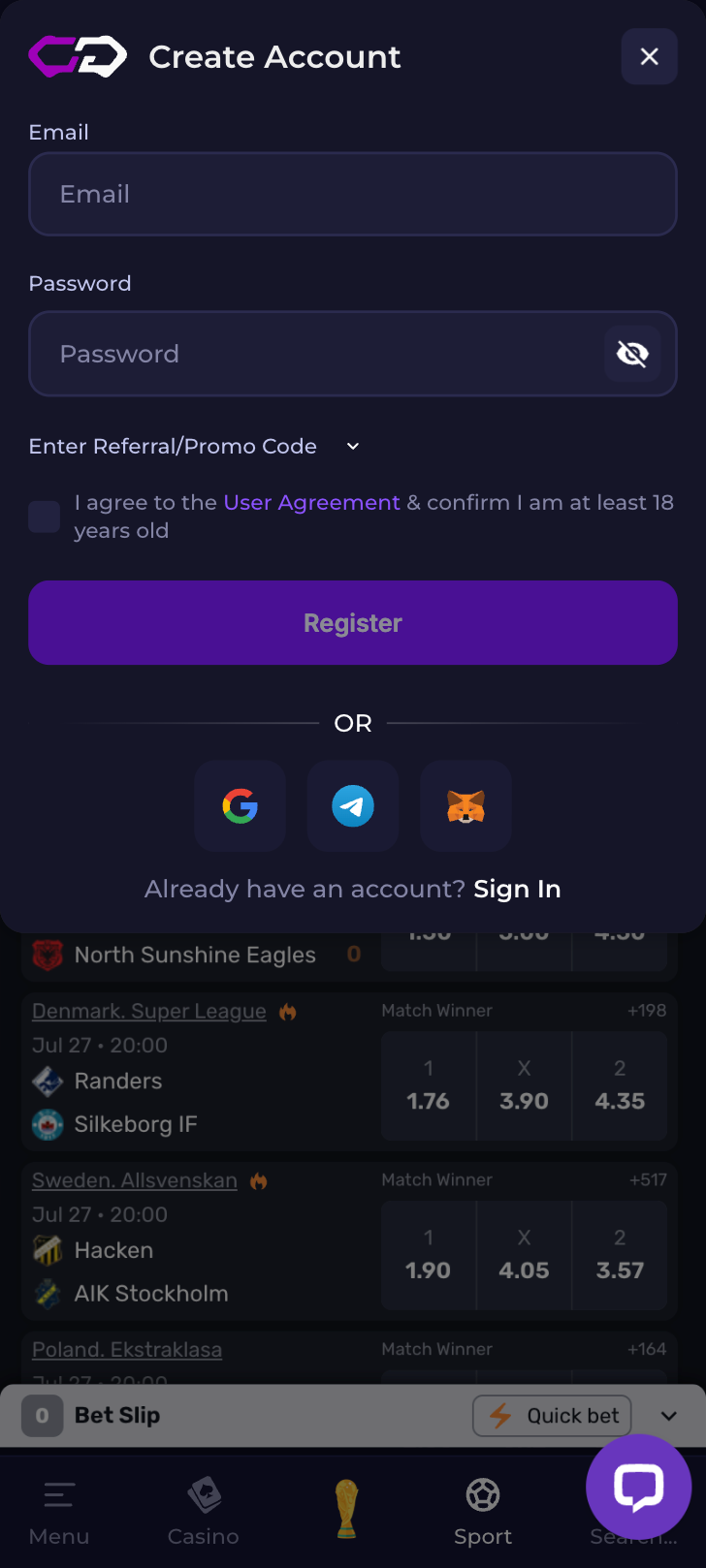
If you don't have an account yet, registration is quick. We timed it during our testing and the whole thing took under three minutes. Use our official registration link and the promo code TIPSGG to make sure you're eligible for the welcome offer: deposit $100 and get $50 free bet.
- Visit the Crypto-games website through our dedicated link.
- Click the Register or Sign Up button.
- Enter your email address and choose a strong password. Some registration flows may also accept wallet-based signup.
- Input the promo code TIPSGG in the designated field to activate the $50 free bet welcome offer.
- Agree to the terms of service and confirm you meet the minimum age requirement.
- Verify your email by clicking the confirmation link sent to your inbox.
- Log in with your new credentials and make your first deposit to claim the bonus.
New to sports betting in general? Our guide on how to bet on sports covers the basics, and the sports betting glossary can help decode any unfamiliar terminology you encounter on the platform.
Crypto-games
Verification & Login Security
After registering, Crypto-games may prompt you to complete identity verification (KYC). This is standard practice for platforms handling real-money transactions and crypto withdrawals. Completing verification early prevents delays when you want to cash out winnings later. We went through the full process ourselves and it was approved within a few hours.
Here's what the verification and security landscape looks like:
| Security Feature | Details |
|---|---|
| 📧 Email verification | Required at registration; confirmation link sent to your inbox |
| 🪪 KYC document upload | Government-issued ID (passport, driver's license) plus proof of address |
| 🔐 Two-factor authentication | Optional but strongly recommended; works with Google Authenticator or similar apps |
| 🔑 Password requirements | Minimum length and complexity enforced; periodic change recommended |
| 💼 Wallet connection security | Review every approval prompt carefully; use a dedicated gaming wallet |
We think enabling 2FA is non-negotiable. It adds maybe five seconds to each login and makes unauthorized access orders of magnitude harder. If you're connecting a crypto wallet, use a separate wallet dedicated to gaming rather than your main holdings wallet. This limits exposure if anything ever goes wrong. For more on how we evaluate platform safety, check our How We Rate page.
- Also read: Crypto-games Bonus Code & Promotions
Customer Support for Login Issues
When self-service troubleshooting fails, Crypto-games customer support is your next stop. During our Crypto-games review 2026 process, we tested support responsiveness by submitting a login-related query. The response came back within a reasonable timeframe, and the agent was able to walk us through the resolution without excessive back-and-forth.
| Contact Method | Availability | Best For |
|---|---|---|
| 📩 Email support | 24/7 (response within hours) | Account recovery, document submission, detailed issues |
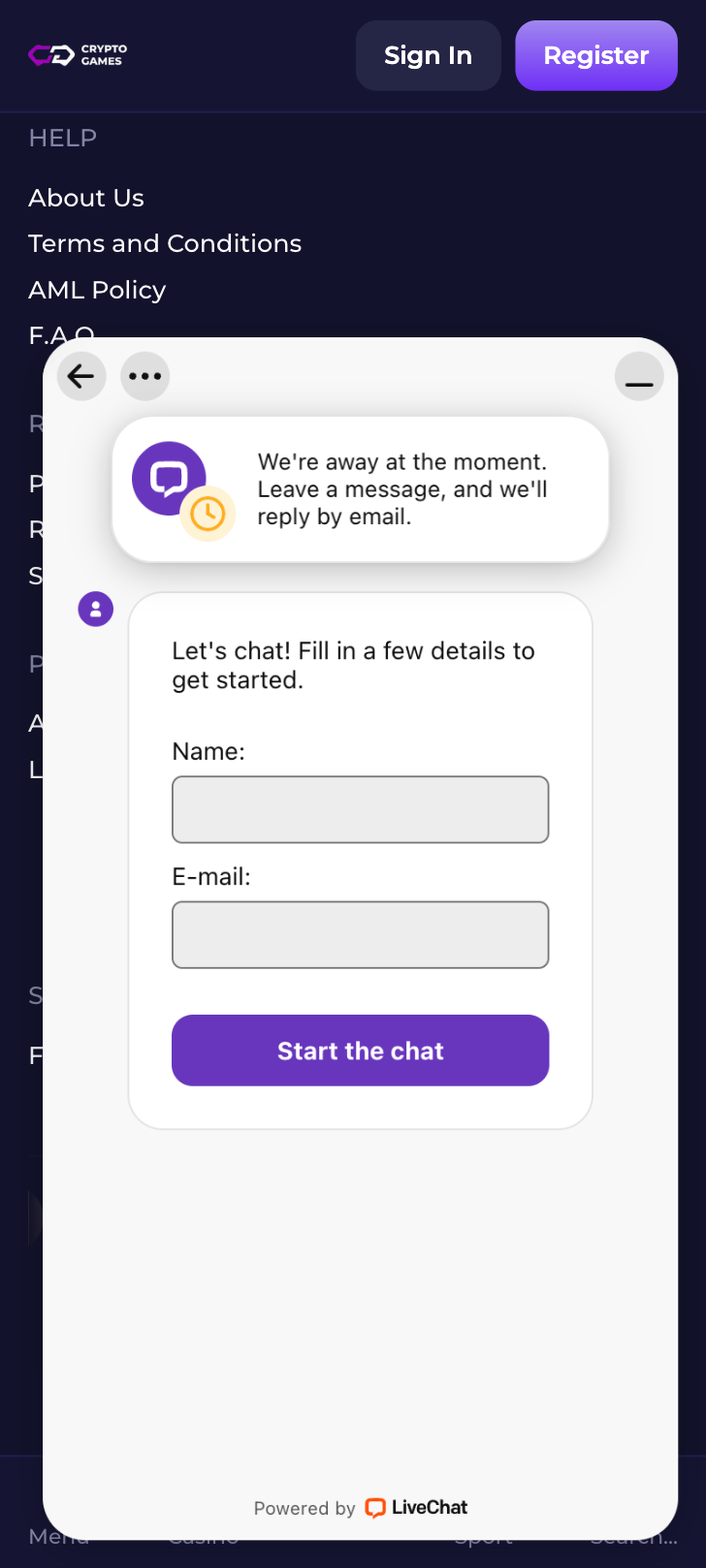
| 💬 Live chat | Available during peak hours | Quick login troubleshooting, password resets |
| ❓ FAQ / Help center | Always accessible | Common questions, self-service guides |
Before contacting support, have your registered email address, any transaction IDs, and a description of the problem ready. This speeds up the process considerably. And remember: legitimate support staff will never ask for your password or seed phrase. Ever. If someone does, it's a scam. For a broader understanding of your protections, read about your rights as a player.
Crypto-games
Tips for Easy Crypto-games Login
Keeping your Crypto-games login smooth and secure doesn't require much effort, just a few good habits maintained consistently. Here's what we recommend based on our real-world testing:
- Bookmark the official URL and always access Crypto-games from that bookmark. Never click login links from emails or social media messages you didn't initiate.
- Use a password manager to store your credentials securely. This prevents forgotten passwords and eliminates the temptation to reuse weak passwords across sites.
- Enable two-factor authentication immediately after your first login. It's the single best thing you can do for account security.
- Complete KYC verification early. Don't wait until you're trying to withdraw a big win. Get it done during your first session.
- Keep your registered email accessible. Password resets, security alerts, and promotional offers all route through it.
- Use a dedicated crypto wallet for gaming if you connect one. Never expose your primary holdings wallet to any third-party platform.
- If you're new to the platform, register through our official link with promo code TIPSGG to claim the $50 free bet on a $100 deposit.
Betting should be enjoyable, not stressful. If you ever feel like your gambling habits are becoming a problem, please visit our responsible gaming page for resources and support. Our full methodology for reviewing platforms like this one is detailed in our editorial policy.
- 10,000+ games from 60+ providers
- Fast and secure crypto payments
- Exclusive VIP rewards and cashback
FAQ
Can I Log in Without Registration?
No. You need a registered account to access Crypto-games. Registration takes under three minutes and can be done through our link with the promo code TIPSGG to unlock the welcome bonus.
Can I Create Multiple Accounts?
No. Crypto-games, like virtually every legitimate betting platform, prohibits multiple accounts per person. Creating duplicate accounts can lead to suspension of all associated accounts and forfeiture of balances. One account per player, period.
How to Reset My Account Password?
Click the "Forgot Password" link on the login page, enter your registered email, and follow the instructions in the reset email. Choose a new, strong password that you haven't used elsewhere. If you don't receive the email, check your spam folder or contact support.
What If My Account Was Stolen or Hacked?
Contact Crypto-games customer support immediately. Request an account freeze to prevent further unauthorized activity. You'll likely need to verify your identity before access is restored. After recovery, change your password, enable 2FA if it wasn't already active, and review any connected wallet permissions. If crypto assets were moved without your consent, document everything for your records.
Why Can't I Access the Crypto-games Website/App?
Possible reasons include scheduled maintenance, regional restrictions, internet connectivity issues, or browser-related problems. Try a different browser, check the platform's social media for outage announcements, and confirm you're not accessing from a restricted jurisdiction. If the issue persists beyond a few hours, reach out to support.
Is Crypto-games Login Safe and Secure?
Based on our testing for this Crypto-games review 2026, the login process uses encrypted connections and supports two-factor authentication. The platform implements standard security protocols for credential handling. We always recommend players take their own precautions too: strong unique passwords, 2FA enabled, and a dedicated wallet for any crypto interactions. For a list of other reputable platforms, see our roundup of best football betting websites.