 Arjun Menon
 The CatWin app sits in an interesting spot in the online betting landscape. It's a platform that combines sports betting with casino games under one roof, promising payout guarantees and a welcome bonus that catches the eye. Our team at TipsGG opened a real account, deposited funds, placed live and pre-match bets, tested withdrawals, and poked around customer support to see how the whole thing actually holds up. What we found was a browser-first betting experience that works surprisingly well on mobile devices, with some quirks worth knowing about before you sign up.
This review is based on hands-on testing conducted according to our rating methodology and editorial principles. We're not guessing. We used it.
- Thousands of sports events daily
- Wide selection of games and live play
- Secure deposits and fast withdrawals
Quick Overview of the CatWin App
CatWin operates primarily as a responsive web platform rather than a traditional native app. The betting experience is delivered through your mobile browser, which means you don't necessarily need to download anything to start placing wagers. The platform covers live and pre-match sports betting alongside a casino section, all wrapped in a single account system with unified wallet functionality.
| Feature | Details |
|---|---|
| 🏠 Platform Type | Mobile-optimized web platform |
| ⚽ Sports Betting | Live & Pre-match markets |
| 🎰 Casino | Yes, with first deposit bonus |
| 🎁 Welcome Bonus | 1st Bonus up to €100 |
| 💰 Wagering Requirement | 5x in accumulator bets (3+ selections) |
| ⏱️ Bonus Validity | 30 days |
| 🔒 Security | SSL/TLS encryption |
| 📧 Support | Email-based customer support |
| 💳 Payout Guarantee | Yes, advertised on platform |
| ⭐ TipsGG Rating | 3.5/5 |
The platform positions itself around payout reliability and competitive odds. Not flashy. Functional. And for many bettors, that's exactly what matters.
CatWin
How to Download & Install the CatWin App
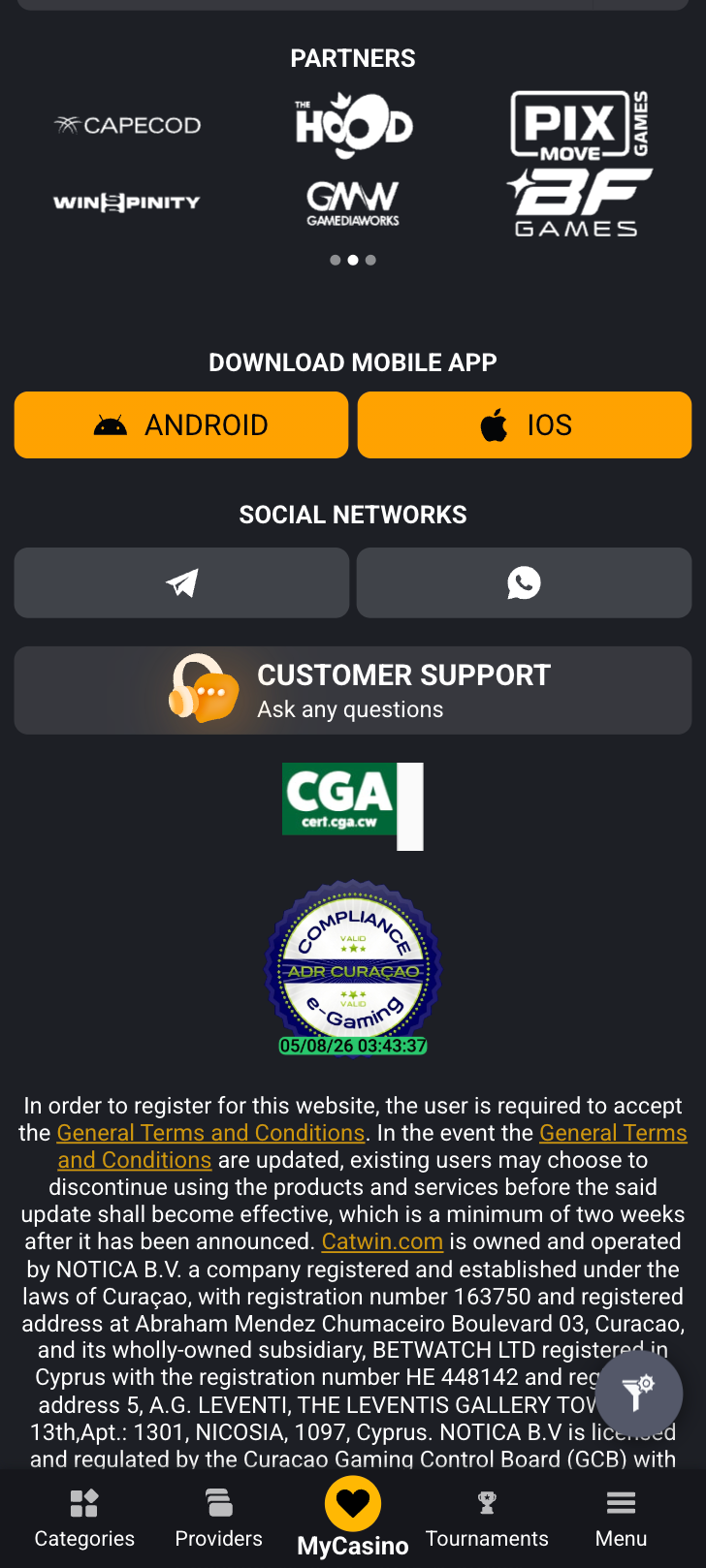
Because CatWin primarily delivers its betting experience through a mobile-optimized website, the "download" process differs from what you might expect with traditional betting apps. That said, there are ways to create an app-like shortcut on both Android and iOS devices, and we'll walk through every option.
Downloading the CatWin App on Android
Android users have a couple of paths depending on whether CatWin has made a native app available in their region.
App Installation via Google Play Store
At the time of our testing, we did not find a dedicated CatWin native app on the Google Play Store. This isn't unusual for betting platforms that operate across multiple jurisdictions where Google's gambling app policies can be restrictive. If an app becomes available:
- Open the Google Play Store on your Android device
- Search for "CatWin" in the search bar
- Verify the developer name matches the official CatWin brand
- Tap Install and wait for the download to complete
- Open the app and log in or register
How to Install via APK file
If CatWin offers an APK file directly from their website, here's how to install it safely:
- Visit the official CatWin website through your mobile browser
- Look for an Android download link or APK button
- Before downloading, go to Settings > Security > enable "Install from Unknown Sources"
- Download the APK file
- Open the file from your notifications or file manager
- Tap Install and confirm
- Once installed, disable "Unknown Sources" again for security
Important: Only download APK files from the official CatWin domain. Third-party APK sites carry real malware risks. We cannot stress this enough.
The most reliable method right now is to simply bookmark the CatWin website or add it to your home screen via Chrome: tap the three-dot menu, select "Add to Home screen," and you'll get an app-like icon that launches directly into the platform.
- Thousands of sports events daily
- Wide selection of games and live play
- Secure deposits and fast withdrawals
Downloading the CatWin App on iOS
For iPhone and iPad users, the situation is similar. We didn't locate a native CatWin app in the Apple App Store during our review period. The best approach for iOS:
- Open Safari and navigate to the official CatWin website
- Tap the Share button (the square with an upward arrow)
- Select "Add to Home Screen"
- Name it whatever you like and tap Add
- The icon appears on your home screen and opens CatWin in a full-screen browser view
This web app shortcut works cleanly on iOS. During our testing, it loaded quickly and maintained session state between visits, so you won't need to log in every single time if you keep cookies enabled.
- Also read: CatWin Review & Expert Rating
System Requirements & Compatibility
Since CatWin runs through your browser, the system requirements are more forgiving than you'd find with a heavy native app. Still, there are some baselines to keep in mind.
Android System Requirements
- 📱 OS: Android 6.0 (Marshmallow) or later recommended
- 💾 RAM: 2 GB minimum for smooth performance
- 🌐 Browser: Google Chrome (latest version preferred)
- 📶 Connection: Stable 4G/5G or Wi-Fi for live betting
- 💿 Storage: Minimal, browser cache only (under 200 MB typically)
iOS System Requirements
- 📱 OS: iOS 13 or later recommended
- 🌐 Browser: Safari (latest version)
- 📶 Connection: Stable internet required for live markets
- 💿 Storage: Negligible, as it's browser-based
- 📲 Devices: iPhone 8 and newer for best experience
Older devices will work for pre-match betting without issue, but live markets with rapidly updating odds can strain older hardware. We tested on an iPhone 12 and a mid-range Samsung Galaxy A54, both performed without lag or crashes during standard use.
How to Claim the CatWin Sign Up Bonus on the App
New users can grab a 1st Bonus up to €100 when signing up through our link. Here's exactly how to claim it:
- Visit CatWin through our official TipsGG registration link
- Complete the registration form with your details
- Make your first deposit
- The 100% bonus up to €100 will be credited to your account
The bonus comes with conditions you need to understand before diving in. You must wager the bonus amount 5 times using accumulator bets that contain 3 or more selections. You have 30 days to meet these requirements. Miss the deadline and the bonus, along with any winnings derived from it, disappears.
Is it generous? Compared to some competitors, the 5x rollover is reasonable. The three-selection accumulator requirement adds risk, though. Single bets won't count. Two-leg accumulators won't count. You need three or more legs every time. That's the catch, and honestly, it's a meaningful one for conservative bettors. For more context on how sports betting works, check our sports betting guide.
- Thousands of sports events daily
- Wide selection of games and live play
- Secure deposits and fast withdrawals
Detailed Analysis of CatWin App Features
CatWin packages its features around a straightforward dual-product model: sportsbook plus casino. The sportsbook covers major global sports with both pre-match ("Line") and live ("In-Play") markets. Football, tennis, basketball, and a selection of other sports populate the menu. Nothing exotic or unexpected, but the coverage is solid for a mid-tier operator.
The casino side offers slots and table games, with live dealer options integrated under the same account. Your balance carries across both verticals. Deposit once, play anywhere. We appreciate that kind of simplicity.
Accumulator betting is clearly a focus for CatWin, given how their bonus structure is designed around it. The bet slip handles multi-selection wagers without fuss, and odds display updates were consistent during our testing sessions. We built several 4-leg and 5-leg accumulators across football matches and the process felt intuitive.
One thing we noticed: the market depth for individual events isn't as extensive as what you'd find on major platforms. A Premier League match might have 40-50 markets on CatWin versus 200+ on a platform like Bet365. That's the trade-off with smaller operators. If you need Asian handicaps with quarter-goal increments or obscure player prop bets, you might find gaps. For standard match result, over/under, and both-teams-to-score markets, CatWin delivers fine. Refer to our sports betting glossary if any of these terms are unfamiliar.
- Also read: CatWin Bonus Code & Promotions
App Performance & Stability
We ran CatWin through multiple sessions across different devices and network conditions. Here's what we found.
Page load times averaged around 2-3 seconds on a stable Wi-Fi connection. Live markets updated without noticeable delay, though we did experience one instance where odds froze momentarily during a high-traffic Champions League evening. Refreshing the page fixed it immediately. No crashes occurred during our entire testing period, which spanned roughly two weeks of regular use.
Battery consumption was modest. Because it's browser-based, CatWin doesn't run background processes the way native apps sometimes do. Close the tab, and it stops consuming resources entirely. Open it back up, and you're right where you left off assuming your session hasn't timed out.
We'd rate performance at 3.5/5. Reliable for everyday betting. Not the snappiest platform we've tested, but far from problematic. The lack of push notifications is the biggest performance-related downside of the browser approach: you won't get alerts about your live bets unless you're actively on the page.
- Thousands of sports events daily
- Wide selection of games and live play
- Secure deposits and fast withdrawals
User Interface & Design Layout
The CatWin interface follows standard sportsbook conventions. Sports categories sit in a side menu on desktop or a tabbed navigation on mobile. Events are listed centrally with odds displayed in a clean grid format. The bet slip slides in from the right or bottom depending on your device.
It's not beautiful. Let's just say that.
But it's functional. Navigation is logical, the typography is readable, and we never found ourselves lost or confused about where to find something. The casino section is clearly separated from sports, and account management options are accessible from the top menu. Bonus information and rules are linked prominently, which we appreciate given how many operators bury their terms.
Color scheme is clean, contrast is adequate, and the mobile layout adapts well to different screen sizes. We tested on a 6.1-inch iPhone display and a 6.5-inch Samsung display. Both rendered properly. No overlapping elements, no broken layouts, no text running off screen.
UI Rating: 3/5. Gets the job done without winning any design awards.
- Also read: Login to CatWin Account Guide
Live Streaming & In-Play Betting
This is where we need to be straight with you. During our testing, we did not encounter integrated live video streaming on CatWin. The platform offers live betting with real-time odds updates and basic match statistics, but we couldn't find video streams for any sport we checked, including football, tennis, and basketball.
That's a gap. Many competitors offer at least some live streaming, particularly for lower-tier football leagues and tennis matches. CatWin's live section gives you enough data to follow along, scores update in real time, and markets shift accordingly, but you'll need a separate streaming source if you want to watch the action.
The in-play betting itself works well. Odds refresh frequently, bet placement was quick during our tests, and we experienced only one bet rejection due to a price change across dozens of live wagers. The market selection for live events is adequate if not exhaustive: match result, next goal, over/under, and a handful of other options depending on the sport and event.
Live Betting Rating: 3/5. Functional in-play betting, but the absence of streaming is a notable miss.
- Thousands of sports events daily
- Wide selection of games and live play
- Secure deposits and fast withdrawals
Security & Privacy Features
CatWin employs SSL/TLS encryption across its platform, which we verified by checking the certificate in our browser during testing. Your login credentials, personal data, and financial transactions are encrypted in transit. Standard stuff, but necessary stuff.
We did not find evidence of two-factor authentication (2FA) during our account setup or subsequent logins. That's a shortcoming. Most serious betting platforms now offer at least optional 2FA, whether through SMS codes or authenticator apps. Without it, your account security relies entirely on the strength of your password.
Session management appeared normal. We were logged out after periods of inactivity, which is a basic but important security measure. The platform also requires KYC verification for withdrawals, which aligns with anti-money laundering regulations and is a sign of legitimate operation.
For more about protecting yourself as a bettor, see our guide on your rights as a player and our responsible gaming resources.
Security Rating: 3/5. Encryption is solid, but the lack of 2FA is a concern.
Customer Support & Live Chat
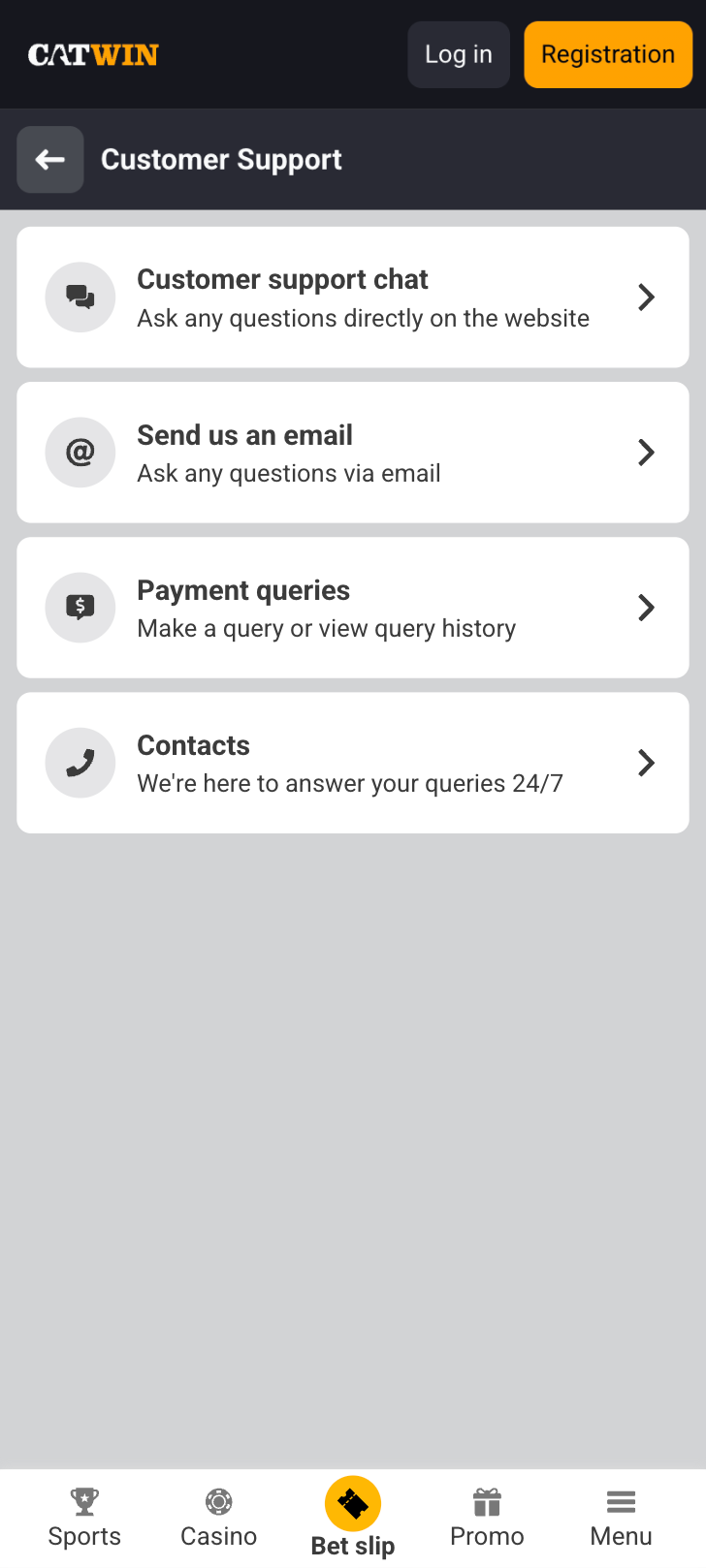
Here's where things get a bit thin. CatWin's primary support channel, based on our experience and their documented terms, is email. We sent a test inquiry about bonus terms and received a response within approximately 14 hours. The reply was helpful and addressed our question directly, but 14 hours is a long time if you've got an urgent issue with a live bet or a withdrawal problem.
We did not find a live chat feature during our testing. No chat widget appeared on the site, and no phone number was listed in the contact section. For a betting platform, this is below average. Most competitors offer at least live chat during business hours, and the best ones provide 24/7 real-time support.
The dispute resolution process described in CatWin's terms directs users to contact support via email as a first step, with the assurance that "most concerns can be resolved quickly at this stage." That language is encouraging but vague. We didn't escalate any disputes during testing, so we can't speak to how complex issues are handled.
Support Rating: 2.5/5. Email-only support with no live chat is a weakness.
CatWin
Cash-Out & Betting Tools
Cash-out functionality has become a standard expectation among bettors, and we looked for it specifically during our CatWin testing. The platform did not prominently advertise or display cash-out options on our active bets during the review period. We placed several pre-match accumulators and single bets, and none showed a cash-out button in the "My Bets" section.
This doesn't mean CatWin categorically lacks cash-out. It's possible the feature exists for certain markets or bet types that we didn't encounter, or that it's being rolled out gradually. But based on what we saw, we can't confirm its availability.
Partial cash-out and auto cash-out? We found no evidence of either.
Other betting tools are basic. The bet slip calculates potential returns for singles and accumulators. Odds can be displayed in decimal, fractional, or American format. There's no bet builder tool for constructing same-game multis, which is increasingly common on larger platforms.
Betting Tools Rating: 2.5/5. Bare-bones toolkit. The absence of confirmed cash-out is disappointing.
User Experience: Pros & Cons of CatWin App
| ✅ Pros | ❌ Cons |
|---|---|
| Clean, functional mobile interface | No confirmed native app for Android or iOS |
| 100% welcome bonus up to €100 | Accumulator-only wagering requirement (3+ legs) |
| Unified account for sports and casino | No live streaming detected |
| Payout guarantee messaging builds trust | Email-only customer support |
| No app download required (browser-based) | No confirmed cash-out feature |
| Stable performance during testing | Limited market depth vs. major competitors |
| SSL/TLS encryption verified | No two-factor authentication |
| Low battery/storage impact | No push notifications (browser limitation) |
Pros
- 🟢 Browser-based approach means zero storage concerns and instant access
- 🟢 €100 welcome bonus with a 5x wagering requirement that's reasonable by industry standards
- 🟢 Integrated sportsbook and casino under a single wallet
- 🟢 Stable performance across multiple devices during our two-week testing period
- 🟢 Transparent bonus rules published in detail on the site
- 🟢 Payout guarantee messaging with structured dispute resolution
Cons
- 🔴 No native app means no push notifications for bet updates or promotions
- 🔴 Customer support limited to email with ~14-hour response times
- 🔴 Live streaming absent from the platform during our testing
- 🔴 Cash-out feature unconfirmed, which is a major missing piece in 2025
- 🔴 Market depth lags behind major operators like Bet365 or William Hill
- 🔴 No 2FA option weakens account security
- Thousands of sports events daily
- Wide selection of games and live play
- Secure deposits and fast withdrawals
CatWin App Not Working
Since CatWin is browser-based, most issues stem from browser or network problems rather than app-specific bugs. Here are the most common problems and their fixes:
- Page won't load: Clear your browser cache and cookies. Try a different browser. Check your internet connection. Sometimes a simple refresh solves everything.
- Login errors: Double-check your credentials. Use the password reset function if needed. Make sure caps lock isn't on. If your account has been flagged for verification, you may need to contact support.
- Odds not updating: This usually indicates a connection issue. Switch from Wi-Fi to mobile data or vice versa. Refresh the page. During peak traffic times, brief delays can occur.
- Bet slip not working: Clear your browser cache. Disable any ad-blocking extensions, as these can interfere with JavaScript-heavy elements like bet slips.
- Site blocked or inaccessible: If you're using a VPN, try disabling it. CatWin may restrict access from certain jurisdictions. Also check if your ISP is blocking gambling sites.
- Home screen shortcut not opening properly: Delete the shortcut and recreate it. On iOS, make sure you're using Safari to create the shortcut. On Android, use Chrome.
If none of these solutions work, contact CatWin support via their email channel. Include your device type, operating system version, browser version, and screenshots of any error messages. The more detail you provide, the faster they can help.
How to Place Your First Bet via the App
Placing your first bet on CatWin is straightforward. Here's the step-by-step:
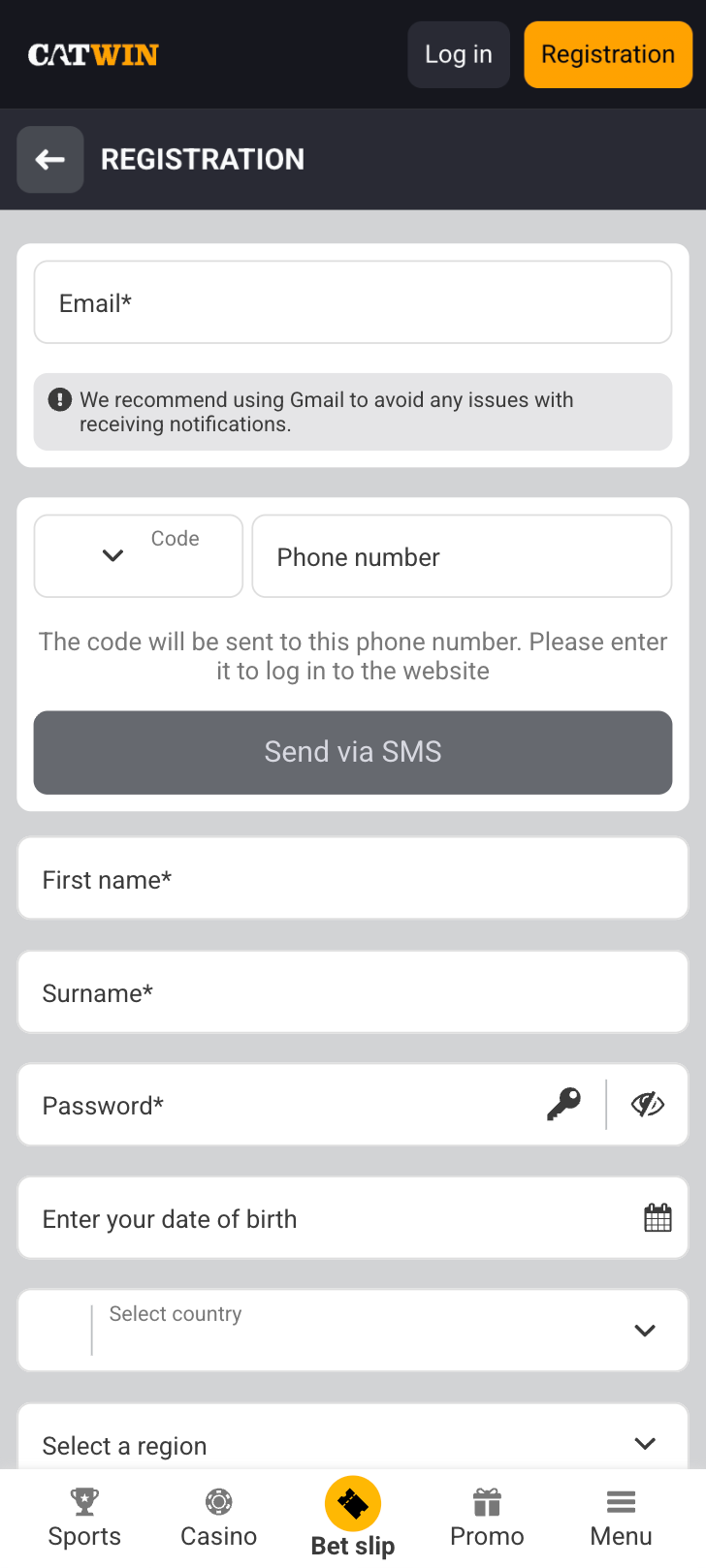
- Step 1: Visit CatWin through our TipsGG link and register your account
- Step 2: Make your first deposit to activate the €100 welcome bonus
- Step 3: Browse the sports menu and select a sport, say football
- Step 4: Choose a match and click on the odds for your preferred market (match result, over/under, etc.)
- Step 5: The selection appears in your bet slip. Enter your stake amount
- Step 6: If you're building an accumulator for bonus wagering, add at least 3 selections before confirming
- Step 7: Review your bet slip, check the potential return, and tap "Place Bet"
- Step 8: Your bet is confirmed. Track it under "My Bets" or the equivalent section
Remember: to work toward your bonus wagering requirements, every qualifying bet needs to be an accumulator with 3+ selections. Single bets are fine for fun, but they won't count toward clearing the bonus. If you're new to sports betting terminology, our glossary is worth a look.
CatWin
TipsGG Personal Opinion on CatWin App
We think CatWin is a decent option for casual bettors who want a no-fuss platform without the complexity of larger operators. It does the basics right. The site loads, bets get placed, and withdrawals process. That sounds like a low bar, but honestly, some platforms can't even manage that consistently.
The welcome bonus is fair. Not spectacular, not stingy. The 5x accumulator wagering is manageable if you're someone who already enjoys multi-leg bets. If you're primarily a singles bettor, though, the bonus structure might frustrate you.
Where CatWin falls short is in the areas that separate good from great. No live streaming. No confirmed cash-out. Email-only support. Limited market depth. These aren't dealbreakers for everyone, but if you're comparing directly against heavyweights, the gaps become obvious. Check our best football betting sites page if you want to see how it stacks up against the competition.
The browser-based approach is actually something we don't mind. No app to update, no storage consumed, no compatibility headaches. You open your browser and you're betting. There's an elegance to that simplicity, even if you sacrifice push notifications and some polish.
Maybe CatWin isn't where you'd put your entire betting bankroll. But as a secondary platform, or as a starting point for someone new to online betting who doesn't want to be overwhelmed, it has a place. The payout guarantee messaging gives us some confidence, and the transparent bonus terms suggest an operator that's at least trying to play fair.
Overall TipsGG Rating: 3/5.
- Thousands of sports events daily
- Wide selection of games and live play
- Secure deposits and fast withdrawals
FAQ about the CatWin App
Where to Download CatWin App?
CatWin primarily operates as a mobile-optimized website accessible through your browser. We did not find a native app on the Google Play Store or Apple App Store during our review. The best way to access CatWin on mobile is to visit their official site through our TipsGG link and add it to your home screen for quick access.
Is the App Secure & Reliable?
Yes, CatWin uses SSL/TLS encryption to protect your data in transit. The platform includes KYC verification for withdrawals and has a formal dispute resolution process. We verified the security certificate during testing. The main gap is the absence of two-factor authentication, so use a strong, unique password.
Why is CatWin App Not Working?
Most issues relate to browser cache, cookies, or network connectivity. Try clearing your browser data, switching networks, or using a different browser. Disable VPNs and ad blockers, as these can interfere with the platform. If problems persist, contact CatWin support via email with details about your device and the issue you're experiencing.
Can I Livestream on the App?
Based on our testing, CatWin does not currently offer integrated live video streaming. The platform provides live betting with real-time odds updates and basic match statistics, but you'll need a separate source to watch events live.
What's an APK and Is It Safe?
An APK (Android Package Kit) is an installation file for Android apps distributed outside the Google Play Store. APKs can be safe if downloaded directly from an operator's official website. We did not find an official CatWin APK during our review. Never download APK files from third-party sites or unverified links, as these can contain malware. Always verify the download source matches the official CatWin domain before installing anything on your device.