 Alex MacQuoid
 The Biggerz betting site runs entirely through your browser, which means logging in takes about ten seconds whether you're on a laptop or tapping your phone screen on the bus. Our TipsGG editorial team opened a real account, deposited crypto, placed live bets and esports wagers, tested withdrawals, and contacted support multiple times. So everything in this Biggerz review 2026 login walkthrough comes from hands-on experience, not guesswork.
- Wide variety of games and sports betting
- 24/7 live betting and thousands of events
- Secure payments with multiple deposit options
How to Login to Your Biggerz Account
Here's the quickest path to get into your account:
- Open your preferred web browser and go to the official Biggerz website at biggerz.com.
- Locate the Log In button in the top-right corner of the homepage.
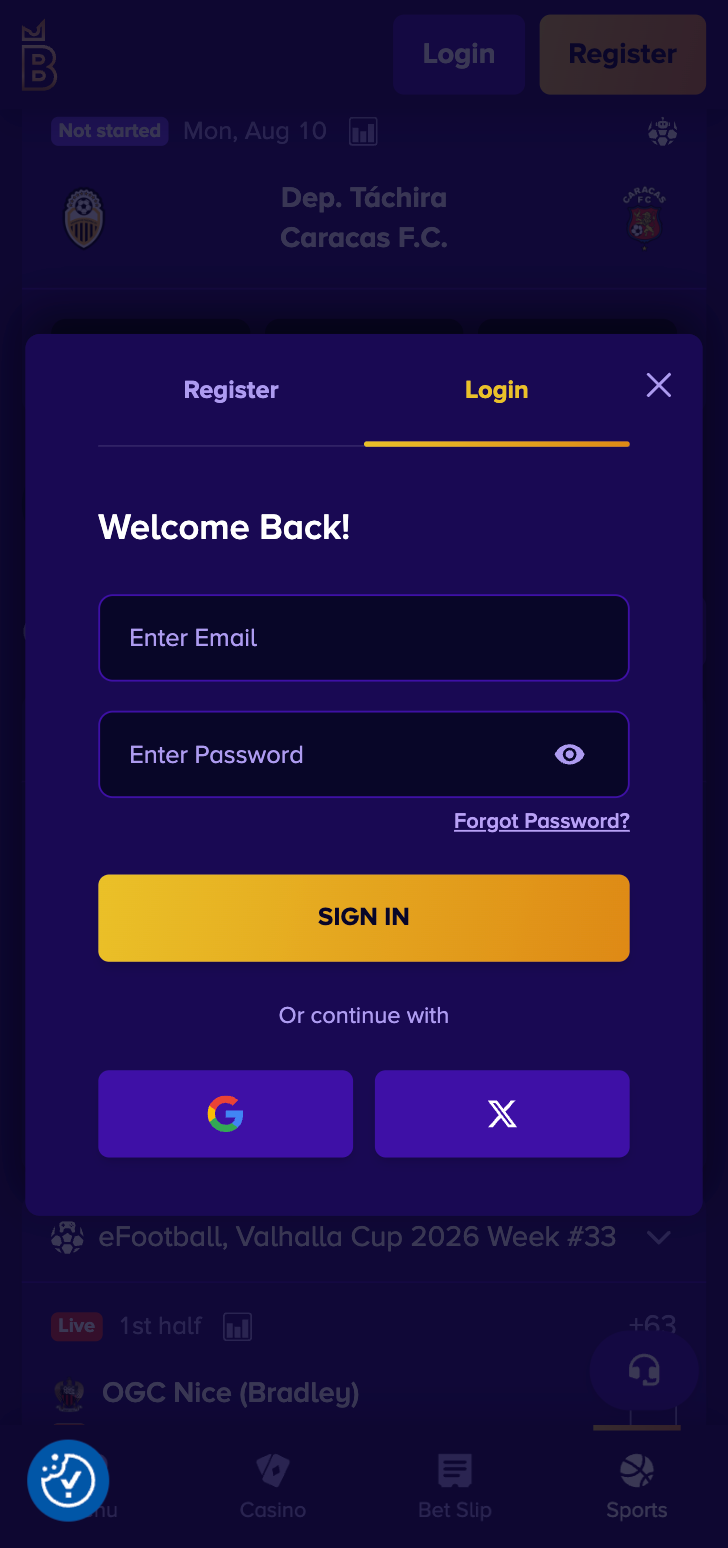
- Enter your registered email address (or username) and your password.
- If you signed up via Google or X, click the corresponding social login icon instead.
- Hit Log In and you'll land straight on the main lobby with casino, sportsbook, and prediction markets all accessible from one dashboard.
That's it. No download required, no client installation. Pure browser-based instant play.
Login Biggerz via Official Website
Desktop login is the most straightforward experience. Fire up Chrome, Firefox, Safari, Edge, whatever you prefer. Navigate to the Biggerz homepage. The site loads fast and the login button sits prominently in the upper-right area. Click it, type your credentials, and you're in. We tested this on Windows 11 and macOS Sonoma without any hiccups.
One thing we noticed during our testing: the lobby remembers your last visited section. If you were browsing live casino tables before logging out, you'll return to that same view. Small detail, but it saves clicks. The responsive design on desktop gives you the full game catalog, sportsbook odds panels, and cashier all visible without excessive scrolling. If you're someone who likes to have a bet slip open while browsing slots... this layout handles that well.
Login Biggerz via Mobile App
Biggerz doesn't distribute a native iOS or Android app through the App Store or Google Play. What you get instead is a fully responsive mobile web experience that honestly feels close to a native app. During our TipsGG testing on both iPhone 15 and a Samsung Galaxy S24, page loads were snappy, the bet slip worked without lag, and switching between casino and sportsbook was seamless.
To log in on mobile:
- Open Safari, Chrome, or any mobile browser.
- Visit biggerz.com.
- Tap Log In at the top of the page.
- Enter your email/username and password, or use Google/X social login.
- Tap the login button and you're inside.
You can also use the "Add to Home Screen" option on both iOS and Android to create an app-like shortcut. It launches Biggerz in a standalone browser window without the address bar, which gives it that native feel. We recommend doing this if you play regularly.
Fingerprint or Face ID Login
Biggerz itself doesn't offer a proprietary biometric login feature baked into its platform. But here's the workaround that works perfectly: save your login credentials in your device's password manager. On iPhone, that means iCloud Keychain. On Android, Google Password Manager or a third-party vault like 1Password.
Once saved, the next time you visit the Biggerz login page, your device will prompt you to autofill credentials using Face ID, Touch ID, or fingerprint scan. We tested this on iOS with Face ID and it worked flawlessly. One glance at the screen, credentials fill, tap login. Done in under three seconds. It's not a casino-built feature, but it achieves the same result and arguably more securely since the biometric data never leaves your device.
Biggerz
Common Login Problems & Solutions
Even the best platforms have moments where something goes sideways. We compiled the most frequent login issues Biggerz users might encounter along with fixes that actually work.
| Problem | Likely Cause | Solution |
|---|---|---|
| 🔑 Forgotten password | Memory lapse or changed password | Use the "Forgot Password" link on the login page |
| 🚫 Account blocked | KYC issues, T&C violations, or security flags | Contact [email protected] or live chat immediately |
| ❌ Credentials not recognized | Typo, wrong email, caps lock on | Double-check spelling, try social login if used during registration |
| 🔧 Site maintenance | Scheduled updates or provider-side outage | Wait 15-30 minutes and retry; check social channels for updates |
| 🌍 Geo-restriction | Accessing from a restricted country | Review T&Cs for restricted regions; contact support for guidance |
| 📱 Page not loading on mobile | Outdated browser or cache issues | Clear browser cache, update your browser, try incognito mode |
Forgotten Username or Password
This happens to everyone. On the Biggerz login page, look for the "Forgot Password" link below the password field. Click it, enter the email address you used during registration, and check your inbox for a reset link. The link typically expires within a limited window, so act quickly once it arrives.
If you registered through Google or X, your password recovery is handled by those platforms instead. Head to your Google or X account settings and reset from there. After that, return to Biggerz and log in using the social login button. We recommend storing your credentials in a password manager to avoid this situation altogether. For more on how betting sites handle account security, check our Your Rights As A Player page.
Account Blocked or Suspended
A blocked account usually means something triggered the platform's security or compliance systems. Common reasons include incomplete KYC verification, suspected multi-accounting, bonus abuse patterns, or AML flags on transactions. Sometimes it's as simple as too many failed login attempts locking the account temporarily.
The only real fix is contacting Biggerz customer support directly. Reach out via live chat for the fastest response or email [email protected] with your username and a description of the issue. Be prepared to verify your identity again if requested. Cooperation with the support team speeds things up considerably. If you triggered a self-exclusion through their responsible gambling tools, that's a different situation entirely and the block will remain for the duration you selected. More on responsible play at our Gamble Responsibly page.
Login Details Not Recognized
Before you panic, check the obvious things. Is caps lock on? Did you accidentally add a space before or after your email? Are you using the correct email, the one you actually registered with and not another one? If you signed up through Google or X, typing an email and password into the standard login fields won't work because your account is tied to the social login flow.
Try logging in through the social button you originally used. If you genuinely can't remember which method you chose during registration, contact live chat support. They can look up your account by email and confirm which login method is linked to it.
Website/App Maintenance
Scheduled maintenance happens. Biggerz integrates games from dozens of providers like Pragmatic Play, Evolution, NetEnt, and many others, plus payment gateways like Coinspaid and various fiat processors. Any of these third-party services can undergo updates that temporarily affect parts of the platform. If the entire site is down, it's likely a server-side update that usually resolves within 15 to 30 minutes. Try refreshing the page after a short wait. If a specific game or payment method isn't working but the rest of the site is fine, the issue is probably on the provider's end. In either case, Biggerz support can confirm what's happening if you reach out via live chat.
Login from Restricted Region
If you're traveling abroad and suddenly can't access your Biggerz account, you may have entered a jurisdiction where the platform restricts access. The exact list of restricted countries isn't fully published in public sources, though heavily regulated markets like the US and UK are commonly blocked by Anjouan-licensed operators. Using a VPN to bypass geo-restrictions is almost certainly against Biggerz terms of service and could result in account suspension or forfeiture of funds. We strongly advise against it. If you're temporarily abroad and need to access your account for legitimate reasons, contact support before attempting any workaround. They may be able to advise on your specific situation.
- Also read: Biggerz Review & Expert Rating
How to Register at Biggerz
New to the platform? Registration is quick. We completed the entire process in under two minutes during our testing. Here's how:
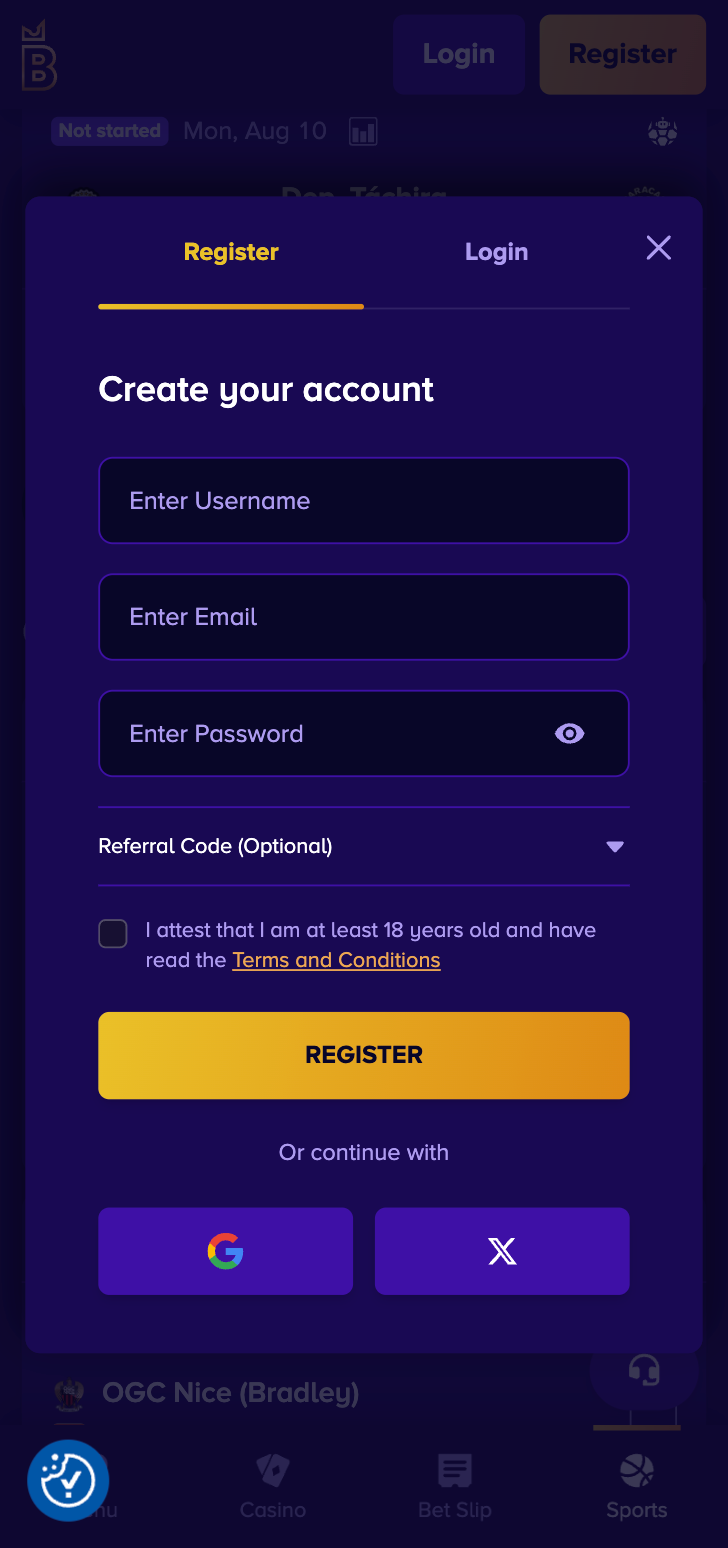
- Visit biggerz.com and click Sign Up in the top-right corner.
- Choose your registration method: email, Google, or X.
- If using email, fill in your email address, date of birth, preferred cryptocurrency, and create a username and password.
- Confirm you are of legal gambling age and accept the terms of service.
- Check your email inbox and click the verification link to activate your account.
- Make your first deposit of at least 10 USDT and claim the 1st Bonus 50% up to 500 USDT welcome offer.
The whole thing is painless. Once your email is verified, you can deposit, play, and bet immediately. If you want to understand more about how to bet on sports, we have a full guide for beginners.
Biggerz
Verification & Login Security
After registration, Biggerz may request KYC verification before processing your first withdrawal or when your account hits certain activity thresholds. This is standard practice for any licensed betting site and is required under the Anjouan Gaming Board regulations. The process protects both you and the platform from fraud.
Here's what to expect:
| Verification Step | What's Needed | Estimated Time |
|---|---|---|
| 📧 Email verification | Click the link sent to your registered email | Instant |
| 🪪 Identity verification | Government-issued ID (passport, driver's license, national ID) | 12–48 hours |
| 🏠 Proof of address | Utility bill or bank statement (less than 3 months old) | 12–48 hours |
| 💳 Payment method verification | May be required for fiat deposit methods | Varies |
Once verified, your subsequent logins and withdrawals proceed without additional friction. Crypto withdrawals at Biggerz are processed instantly after verification is complete, which our team confirmed firsthand. For a deeper look at how we evaluate platforms, visit our How We Rate page.
We think the best thing you can do for login security is use a unique, strong password and store it in a password manager with biometric protection enabled. Biggerz uses TLS encryption for all connections, and your account security starts with how well you protect your own credentials.
- Also read: Biggerz Bonus Code & Promotions
Customer Support for Login Issues
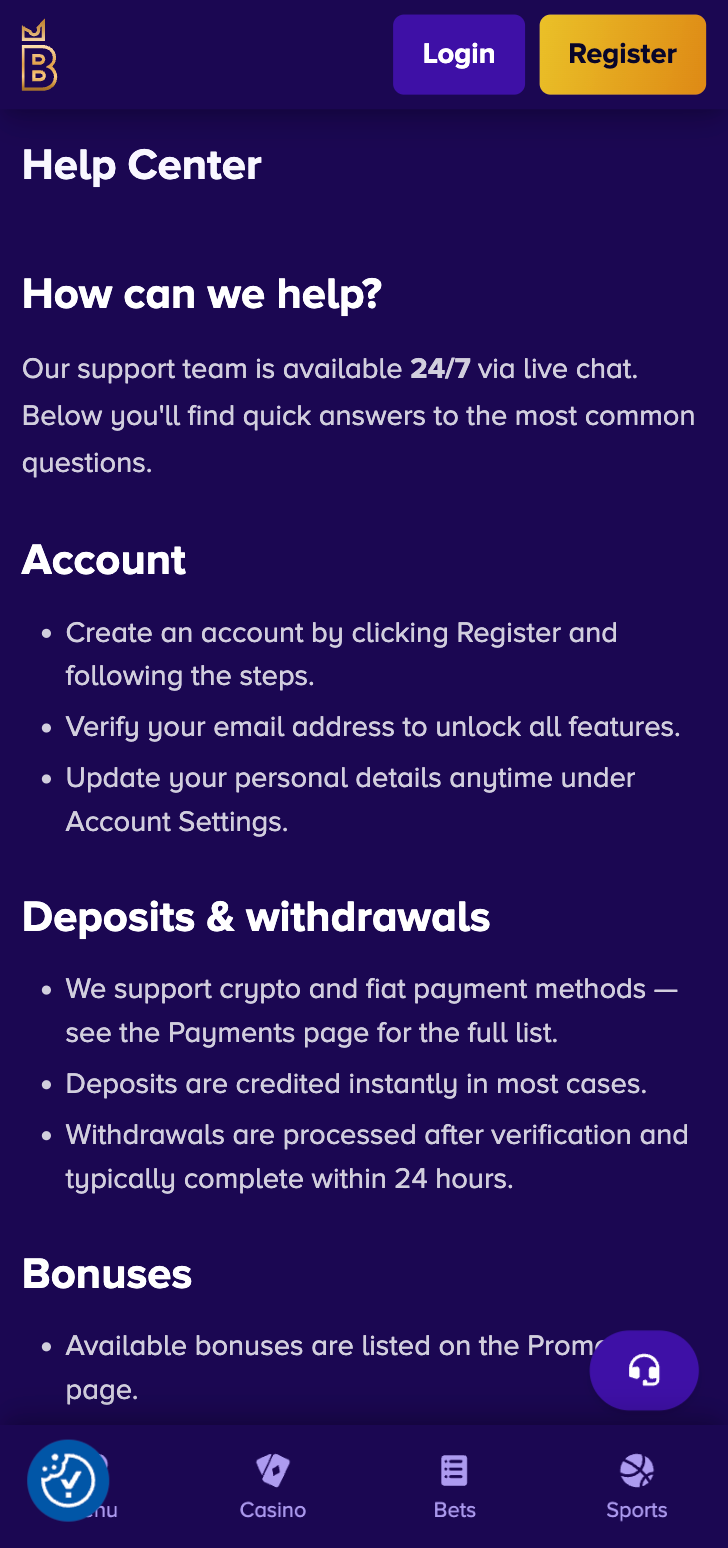
When something goes wrong with your login and self-help doesn't cut it, Biggerz offers 24/7 customer support. During our TipsGG testing, we contacted live chat three separate times at different hours, including 2 AM UTC. Response times were consistently under two minutes for initial contact, which honestly impressed us.
| Support Channel | Availability | Best For |
|---|---|---|
| 💬 Live Chat | 24/7 | Immediate login issues, quick questions |
| 📧 Email ([email protected]) | 24/7 (responses within hours) | Detailed issues, sending documents, complex problems |
| ❓ FAQ Section | Always accessible | Self-service for common questions |
| ⭐ VIP Host | For higher-tier VIP members | Priority account assistance and escalation |
For login-specific problems, live chat is your best bet. The agents can look up your account, confirm which login method you used, unlock temporarily frozen accounts, and guide you through password resets in real time. If the issue involves documents or screenshots, email makes more sense. Our Editorial Policy requires us to test these channels ourselves, and we can confirm they work as advertised.
Biggerz
Tips for Easy Biggerz Login
Keeping your Biggerz login smooth and secure doesn't require much effort. A few habits go a long way:
- Use a password manager to store your credentials securely and enable autofill with Face ID or fingerprint.
- Bookmark the official site at biggerz.com to avoid phishing sites or typo-squatters.
- Complete KYC verification early so withdrawals aren't delayed when you're ready to cash out.
- Add the site to your home screen on mobile for an app-like experience without needing a native download.
- Secure your email account with two-factor authentication since it's the anchor for password recovery.
- Don't share your login details with anyone. Ever. Not even people claiming to be from support.
- Contact live chat immediately if anything seems off with your account access.
The Biggerz betting site is built for browser-based access across all devices, and the login process reflects that simplicity. No bloated apps, no complicated security tokens. Just credentials, a browser, and you're playing. If you're new, grab the 1st Bonus 50% up to 500 USDT welcome offer after signing up through our link and make sure to gamble responsibly. For context on how Biggerz compares to other platforms, see our list of best football betting websites or brush up on terminology in our sports betting glossary.
- Wide variety of games and sports betting
- 24/7 live betting and thousands of events
- Secure payments with multiple deposit options
FAQ
Can I Log in Without Registration?
No. You need a registered account to access any features on Biggerz. Registration takes under two minutes and requires email verification. You can browse the homepage without an account, but placing bets, accessing games, or using the cashier all require a login.
Can I Create Multiple Accounts?
No. Biggerz enforces a strict one-account-per-person policy, which is standard across licensed betting sites. Creating multiple accounts to exploit bonuses or circumvent limits will likely result in all accounts being suspended and any associated winnings voided.
How to Reset My Account Password?
Click "Forgot Password" on the login page, enter your registered email, and follow the reset link sent to your inbox. Choose a new strong password and log in again. If you used Google or X to register, reset your password through those platforms instead.
What If My Account Was Stolen or Hacked?
Change your email password immediately, then contact Biggerz support via live chat or email at [email protected]. Request an account freeze while they investigate. You'll likely need to re-verify your identity with KYC documents. Act fast because crypto transactions are irreversible once confirmed on the blockchain.
Why Can't I Access the Biggerz Website/App?
Possible reasons include scheduled maintenance, a geo-restriction based on your current location, browser cache issues, or an outdated browser. Try clearing your cache, switching browsers, or waiting a few minutes. If the problem persists, reach out to support. Avoid using VPNs to bypass restrictions as this violates the terms of service.
Is Biggerz Login Safe and Secure?
Yes. Biggerz operates under a license from the Anjouan Gaming Board and uses TLS encryption for all data transmitted between your browser and their servers. The platform supports social login via Google and X, which adds an extra layer of authentication managed by those providers. For maximum security on your end, use a strong unique password and enable biometric autofill through your device's password manager. The Biggerz review 2026 testing by our TipsGG team confirmed no security concerns during real-money sessions.